AwakePix

GPT Image 2.5 — Free, No Sign-Up to Generate

Turn an idea into a free 1K image with GPT Image 2.5 Sunburst. Generate and preview here without signing up, then refine the prompt before you submit.

One free image per device each day. A free account is required to download.

Imagegpt-image-2.5-sunburst1:1

Your photo and prompt are sent to our model provider; your clips stay in your account history, and we never train on them.Loading balance…

Real generated examples

Browse representative works by task category, then expand a card for the exact prompt and aspect. Edit examples show the before and after view together. These samples used Chinese prompts; each template is also available in English.

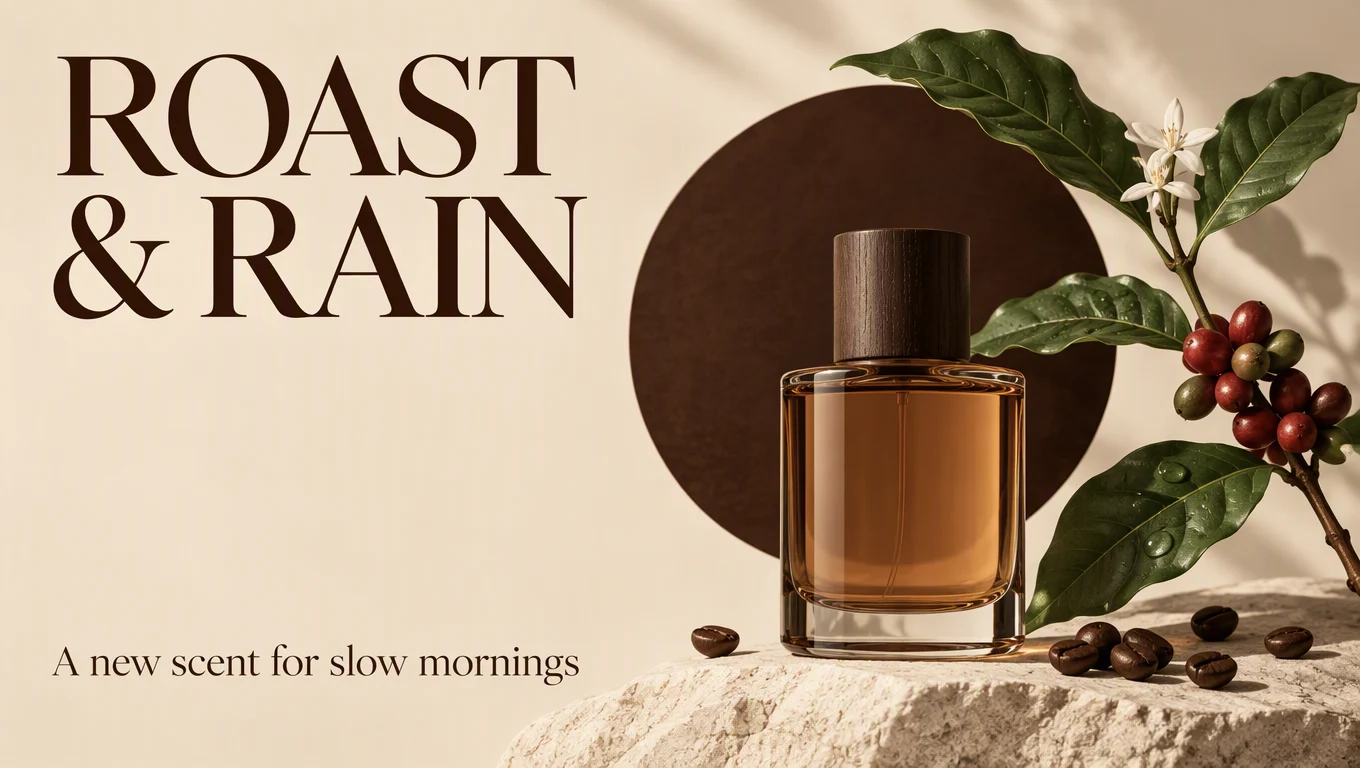
GeneratedCoffee fragrance launch poster

Coffee fragrance launch poster

GPT Image 2.5 Sunburst · 16:9 · 2 credits · Text to image

Show exact prompt

设计一张 16:9 的虚构 AwakePix 咖啡香氛‘Roast & Rain’上新海报。暖奶油色背景上展示一瓶琥珀色香氛和一枝咖啡树枝,瓶后有深浓咖啡色圆形。左上预留准确文字‘ROAST & RAIN’,左下预留‘A new scent for slow mornings’。使用优雅衬线字体、充足留白、高对比和干净的编辑网格;不要额外标志或细小难读的文案。

Use this template →
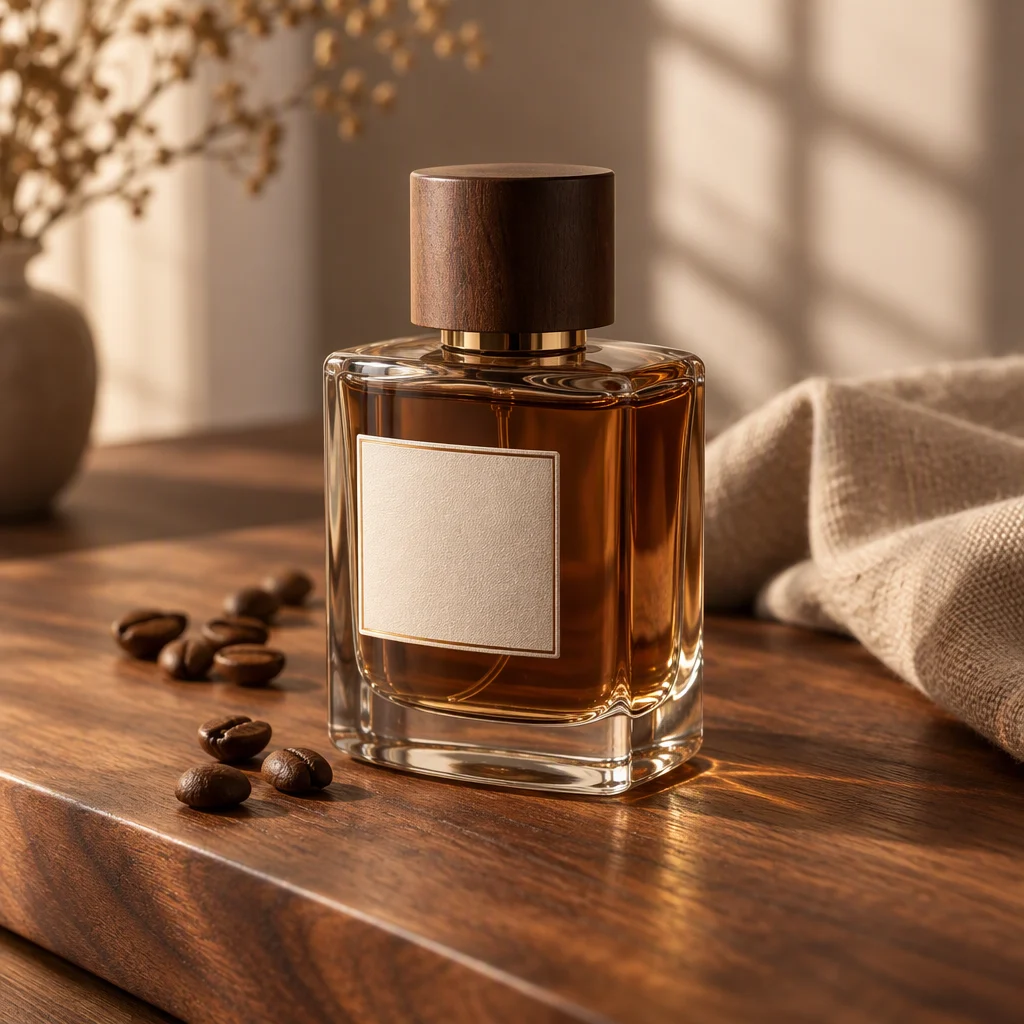
GeneratedBottle hero still life

Bottle hero still life

GPT Image 2.5 Sunburst · 1:1 · Daily free quota · Text to image

Show exact prompt

创建一张 1:1 高级商品照片:虚构 AwakePix 咖啡香氛瓶居中,以三分之四角度放在胡桃木板上。加入几颗咖啡豆、一块折叠亚麻布和柔和窗影。使用温暖晨光、真实玻璃和液体质感,标签区域不出现可读品牌文字,浅景深,安静的棕色与奶油色调。只要一个瓶子,不要手或额外包装。

Use this template →
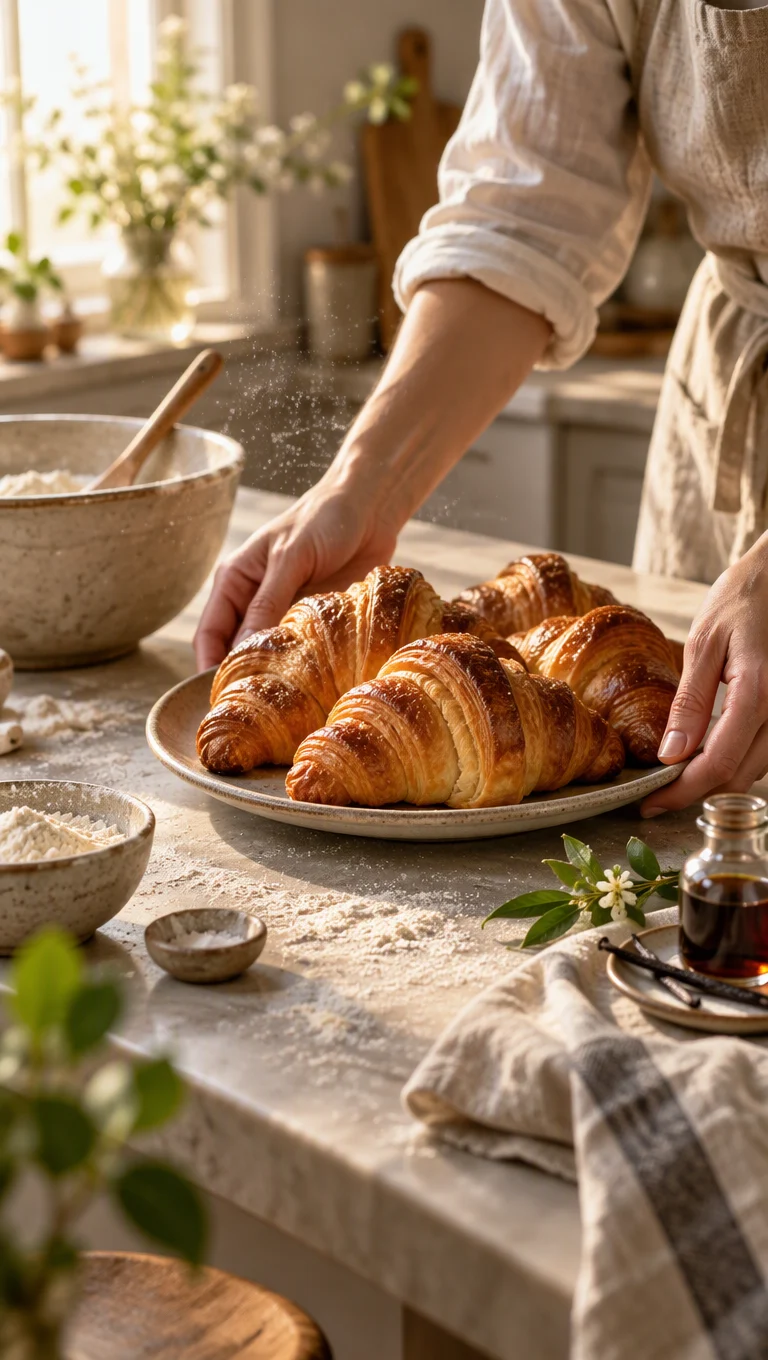
GeneratedSlow morning share card

Slow morning share card

GPT Image 2.5 Sunburst · 9:16 · 2 credits · Text to image

Show exact prompt

创建一张 9:16 慢烘焙早晨社交媒体图片:成年人的双手把一盘金黄可颂放在厨房台面上,旁边有搅拌碗、亚麻布巾和一小瓶香草。让食物突出,加入柔和窗光和空气中少量面粉。自然但精致,使用温暖色调;不要脸部、真实品牌、可读文字或重复糕点。

Use this template →
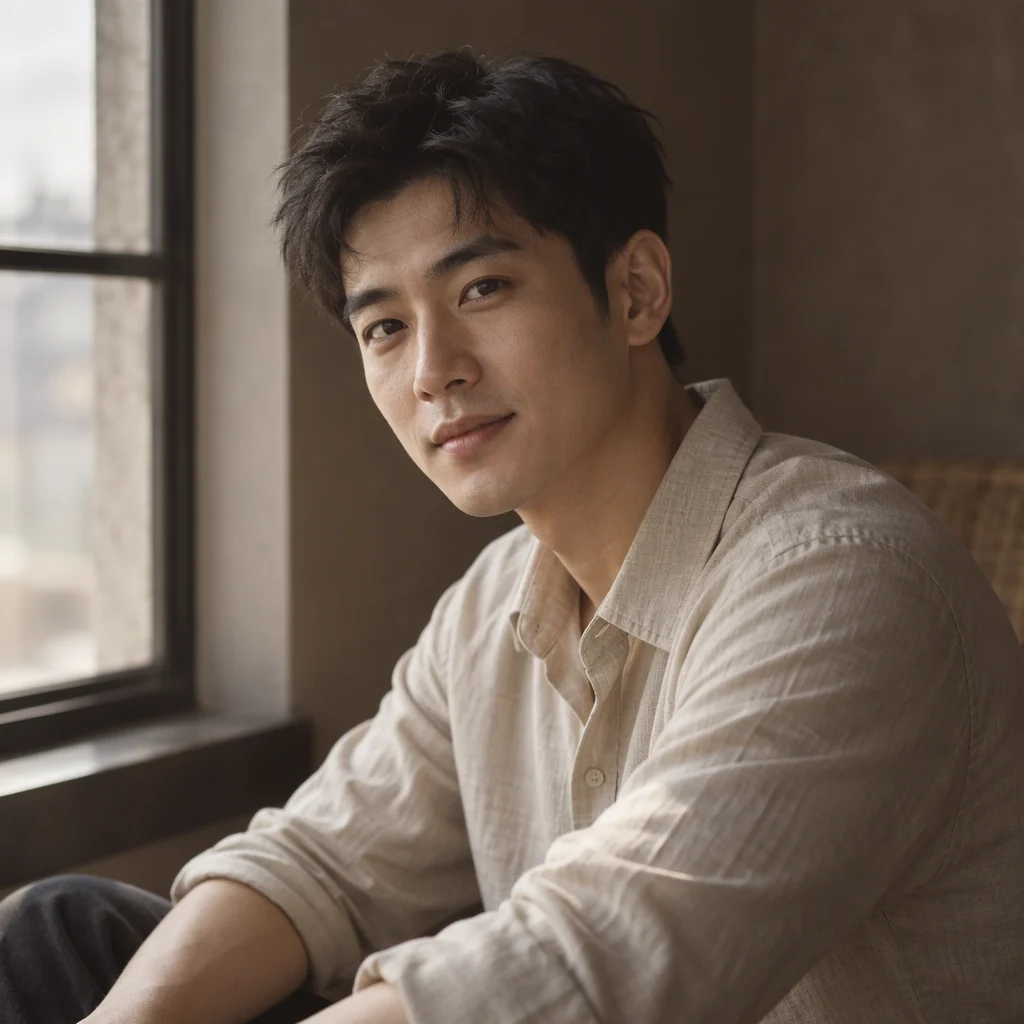
GeneratedWindow-lit adult portrait

Window-lit adult portrait

GPT Image 2.5 Sunburst · 1:1 · 2 credits · Text to image

Show exact prompt

创建一张 1:1 成年人物肖像:短黑发、穿素色燕麦色衬衫的人坐在高窗旁。表现放松的三分之四姿势和直接但温和的眼神交流,保留自然皮肤纹理,使用柔和侧光和低饱和咖啡色背景。编辑摄影风格,不要像任何名人,不要首饰、文字或可见商品。

Use this template →
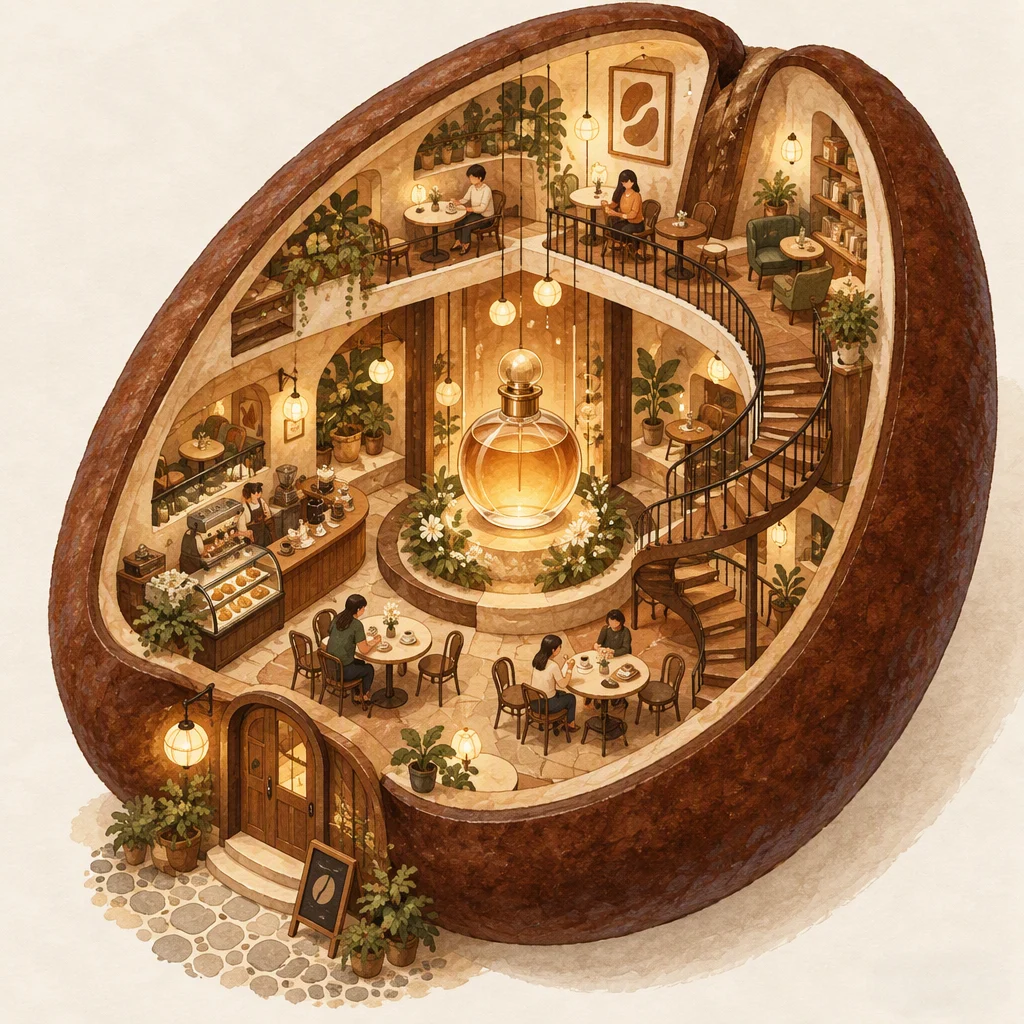
GeneratedCutaway cafe world

Cutaway cafe world

GPT Image 2.5 Sunburst · 1:1 · 2 credits · Text to image

Show exact prompt

绘制一张 1:1 迷你剖面咖啡馆插画,整体形状像咖啡豆,内部有小桌、螺旋楼梯和一瓶位于中央发光的虚构 AwakePix 香氛。使用手绘水粉质感、暖赭色和奶油色、清晰建筑层次以及俏皮的俯视三分之四视角。不要真实品牌标志、可读微型文字或其他中央瓶子。

Use this template →

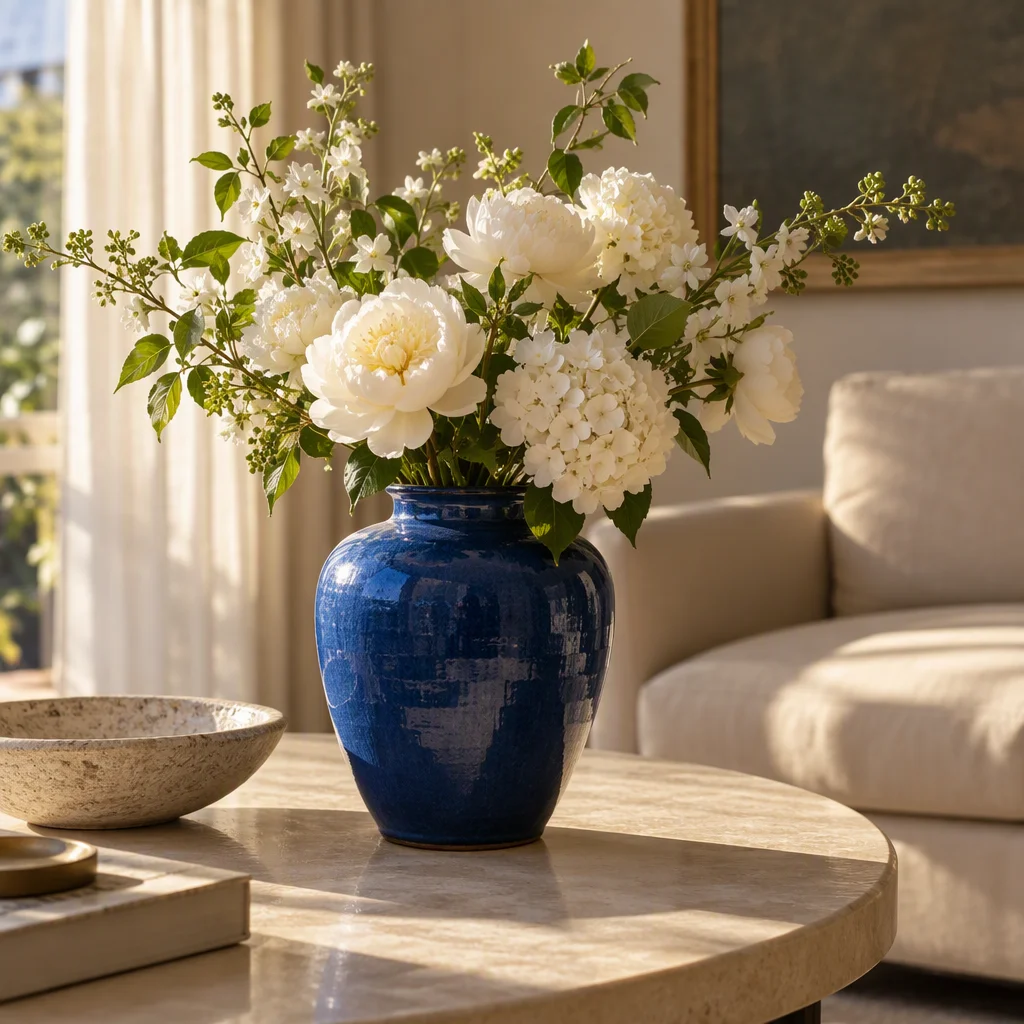
Generated with GPT Image 2.5

Cobalt ceramic vase with white flowers on a cream table in warm afternoon light
A real free Sunburst 1K, 1:1 output. It demonstrates the composition and light from this workflow; it does not promise identical results on every run.

Exact prompt used

A cobalt ceramic vase with white flowers on a cream table, warm afternoon light, editorial photography, no text.

Try this prompt →

Choose a GPT Image 2.5 prompt by task

Six task categories include three templates each. Review the structure, then expand the exact prompt; prefilling never uploads a reference or submits a job.

Posters

Readable layouts for launches, events and announcements.

Posters · 16:9

Coffee fragrance launch poster

Text to image

A centered launch announcement with a strong type-safe hierarchy.

Show exact prompt

Design a 16:9 launch poster for the fictional AwakePix coffee fragrance ‘Roast & Rain’. Show one amber bottle and a small coffee branch on a warm cream background, with a dark espresso circle behind the bottle. Reserve the upper left for the exact headline ‘ROAST & RAIN’ and the lower left for ‘A new scent for slow mornings’. Use elegant serif typography, generous empty space, high contrast and a clean editorial grid. No extra logos or tiny unreadable copy.

Prefill the generator →

Posters · 1:1

Three-panel event grid

Text to image

A modular composition for a fictional neighborhood art walk.

Show exact prompt

Create a square poster for a fictional AwakePix neighborhood art walk. Divide the canvas into three equal vertical panels: a screen-printed map, a sunlit gallery doorway, and a small evening crowd seen from behind. Add one bold centered line ‘ART WALK’ and a small clear date line ‘SATURDAY / 6 PM’. Use cobalt, coral and oat tones, crisp edges and a clean editorial grid; no real logos, faces or extra text.

Prefill the generator →

Posters · 9:16

Lisbon weekend itinerary

Text to image

A narrow vertical travel card that keeps three illustrated stops and short headings legible.

Show exact prompt

Make a 9:16 travel itinerary card for a fictional AwakePix weekend in Lisbon. Show three tiny illustrated stops: a tiled courtyard, a yellow tram and a sunset lookout. Add the exact headings ‘DAY ONE’ and ‘WALK / TASTE / WATCH’ in a single clean column with generous breathing room. Use terracotta, sea blue and paper cream, with no real logos, invented addresses or extra copy.

Prefill the generator →

Product

Commercial still life with a clear hero object.

Product · 1:1

Bottle hero still life

Text to image

An easy-to-check three-quarter hero shot for a fictional product.

Show exact prompt

Create a 1:1 premium product photograph of a fictional AwakePix coffee fragrance bottle, centered in a three-quarter view on a walnut slab. Add a few coffee beans, one folded linen cloth and a soft window shadow. Warm morning light, realistic glass and liquid, tactile label area with no readable brand text, shallow depth of field, quiet brown and cream palette. One bottle only, no hands and no extra packaging.

Prefill the generator →

Product · 16:9

Ceramic lamp countertop scene

Text to image

A contextual home scene with a clear foreground lamp silhouette.

Show exact prompt

Photograph one fictional AwakePix ceramic table lamp on a sunlit sideboard in a 16:9 composition. Keep the lamp large and sharp in the right foreground; place a folded book and a leafy window garden behind it on the left. Use natural side light, believable ceramic glaze, a soft cast shadow and an earthy palette. No recognizable home brand, people, extra lamps or text.

Prefill the generator →

Product · 9:16

Running shoe in suspension

Text to image

A vertical advertising frame with orderly floating sports details.

Show exact prompt

Build a 9:16 advertising still life around one fictional AwakePix white running shoe floating just above a matte sand pedestal. Arrange a folded performance sock, two eucalyptus leaves and a small water splash in a deliberate arc around it, each separated and sharp. Use a deep slate background, rim light, clean negative space above for copy and no text, logo, hands or duplicate shoes.

Prefill the generator →

Social

Scroll-stopping, shareable visual concepts.

Social · 9:16

Slow morning share card

Text to image

A vertical baking lifestyle frame designed for a warm social post.

Show exact prompt

Create a 9:16 social post about a slow baking morning. Show an adult person's hands placing a tray of golden croissants beside a mixing bowl, linen towel and a small vase of herbs on a kitchen counter. Keep the food prominent, add soft window light and a little flour dust in the air. Candid but polished, warm colors, no face, real brands, readable writing or duplicated pastries.

Prefill the generator →

Social · 1:1

Flat-lay choice poll

Text to image

A square comparison that invites a simple audience choice.

Show exact prompt

Make a 1:1 overhead social graphic with two distinct ceramic glaze swatches on a pale worktable: one cobalt blue, one warm terracotta. Label only the cards ‘BLUE’ and ‘CLAY’ in large clean lettering, with a small blank area at the top for a poll sticker. Balanced shadows, tactile paper and clay texture, no people, extra copy or real brands.

Prefill the generator →

Social · 16:9

Coastal road trip panorama

Text to image

A wide, shareable road-trip scene with three connected moments.

Show exact prompt

Create a 16:9 social panorama for a fictional AwakePix coastal road trip as one seamless left-to-right visual journey: a packed canvas bag on the left, a winding blue road in the center, and a sunset lookout on the right. Keep the three zones visually connected, cinematic but believable, with no people, text, real logos or duplicated bags.

Prefill the generator →

Portrait

Adult subjects with deliberate light and framing.

Portrait · 1:1

Window-lit adult portrait

Text to image

A simple portrait with an expressive but non-celebrity subject.

Show exact prompt

Create a 1:1 portrait of an adult person with short dark hair wearing a plain oatmeal shirt, seated beside a tall window. Show a relaxed three-quarter pose, direct but gentle eye contact, natural skin texture, soft side light and a muted coffee-colored background. Editorial photography, no celebrity resemblance, no jewelry, no text and no visible product.

Prefill the generator →

Portrait · 9:16

Indigo dancer editorial portrait

Text to image

A vertical editorial portrait with expressive fabric and natural hands.

Show exact prompt

Photograph an adult South Asian dancer in a 9:16 editorial portrait, wearing a simple indigo wrap and holding a fan of translucent paper near the shoulder. Use a calm three-quarter stance, warm studio key light, a pale clay backdrop and a small rim highlight along the fabric. Keep the face generic and non-famous, hands anatomically natural, no extra people, logos or readable text.

Prefill the generator →

Portrait · 16:9

Greenhouse gardener portrait

Text to image

A wide environmental portrait of an ordinary adult among plants.

Show exact prompt

Make a 16:9 environmental portrait of an older adult gardener in a fictional community greenhouse, leaning lightly beside a worktable with terracotta pots in the foreground. Capture a candid side glance, leaf texture, morning haze and realistic mixed light. The subject is an ordinary adult, not a celebrity; show natural age lines, no readable signage, logos or extra people.

Prefill the generator →

Illustration

Distinctive drawn worlds with a controlled visual language.

Illustration · 1:1

Cutaway cafe world

Text to image

A charming miniature cutaway with a clear focal object.

Show exact prompt

Illustrate a 1:1 miniature cutaway cafe shaped like a coffee bean, with tiny tables, a spiral staircase and one glowing fictional AwakePix fragrance bottle at the center. Use hand-painted gouache texture, warm umber and cream colors, clear architectural layers and a playful top-down three-quarter view. No real brand marks, no readable microtext and no extra central bottles.

Prefill the generator →

Illustration · 9:16

Risograph houseplant print

Text to image

A bold limited-color print built around a growing houseplant story.

Show exact prompt

Create a 9:16 risograph-style illustration of a tall houseplant growing through an apartment window, with a tiny bird and three labeled color blocks for sky, leaf and soil. Use only cobalt blue, burnt orange, moss green and paper cream; include visible ink misregistration, halftone grain and a clean lower margin for future copy. No logos, gradients or realistic people.

Prefill the generator →

Illustration · 16:9

Moon garden story map

Text to image

A wide illustrated map with three connected story landmarks.

Show exact prompt

Draw a 16:9 whimsical illustrated story map of a child-sized moon garden where a lost paper boat travels from a pond to a lantern tree and a small observatory. Use colored pencil and ink, flattened perspective, a few distant adult silhouettes only as tiny shapes, clear route lines and a limited navy, copper and cream palette. No real place names, brand logos or readable labels.

Prefill the generator →

Editing

Focused changes that preserve the supplied image.

Editing · 1:1

Clean the label area

Reference

A focused edit that preserves the supplied product photograph.

Show exact prompt

Using the supplied product photo as image 1, remove the stray speckles and crooked placeholder marks inside the bottle's front label area. Rebuild the label as a smooth blank warm-cream panel with the same perspective, paper texture, edge shape and lighting. Preserve the bottle silhouette, cap, liquid color, table, shadows and every background object exactly. Do not add words, logos, new props or extra bottles.

Prefill the generator →

Editing · 1:1

Replace the background

Reference

A controlled scene change while protecting the product identity.

Show exact prompt

Using image 1 as the source, replace only the background behind the fictional AwakePix coffee fragrance with a softly lit rainy cafe window. Keep the exact bottle shape, cap, label proportions, liquid level, position, scale, contact shadow and reflections from image 1. Match the new cool window light with a subtle warm rim on the bottle. Remove no product details, add no people, text, logos or second bottle.

Prefill the generator →

Editing · 9:16

Add a believable steam curl

Reference

A small atmospheric revision with strict composition preservation.

Show exact prompt

Edit image 1 by adding one delicate curl of steam rising from the coffee cup beside the fictional AwakePix fragrance. The steam should be translucent, physically plausible and softly lit from the left. Preserve the cup rim, bottle, table grain, window, colors, framing and all existing shadows exactly; add nothing else. No smoke cloud, no text, no people and no duplicate objects.

Prefill the generator →
Template sources and usage notes

These templates are adapted scene starters from the public sources named on each preset. Third-party examples do not represent AwakePix results. AwakePix never submits third-party assets or uploads a reference image for you.

  • VulcanEon/awesome-gpt-image-2.5-prompts Original AwakePix editing adaptation informed by reusable prompt structures. The source structure is a reference, results will vary, and no improvement or reproduction is promised; use your own reference image.
  • magiccreator-ai/awesome-gpt-image-2-5-prompts Original AwakePix editing adaptation informed by reusable prompt structures. The source structure is a reference, results will vary, and no improvement or reproduction is promised; use your own reference image.
  • opensource-works/awesome-gpt-image-prompts Original AwakePix editing adaptation informed by reusable prompt structures. The source structure is a reference, results will vary, and no improvement or reproduction is promised; use your own reference image.

How to Generate a GPT Image 2.5 Image

  1. 01

    Write the scene

    Name the subject and setting, then add light, composition, style, and anything to avoid.

  2. 02

    Choose Free

    Keep GPT Image 2.5 · Free selected, complete the human check, and review the visible settings.

  3. 03

    Preview and download

    Generate and preview anonymously; register or sign in when you want to download, before the access window ends.

How to turn an idea into a clearer image

Name the subject, then its relationships

A useful prompt starts with the subject: a cat, a ceramic vase, a shop, or a product photograph. Then explain how it relates to the setting, such as the vase sitting on a cream table. This gives the model a visual anchor before it interprets space. Avoid opening with unrelated nouns. If there are several subjects, say which one matters most and where each sits in the frame.

Use light and material to set the mood

Light translates more reliably than broad words like premium or beautiful. Try warm afternoon window light, soft overcast daylight, morning mist, or a single table lamp. Material details help too: glazed ceramic can have a controlled highlight, paper can show fine fibers, and glass can have transparent edges. For product work, ask for clean surroundings and soft shadows; for a story scene, allow atmosphere and natural asymmetry.

Make composition something you can inspect

You do not need complex camera jargon, but you should say what must remain in frame. Centered composition suits a single subject and a square portrait; negative space gives room to crop or add your own headline. Ask for a close-up, half-body view, top-down table view, or a subject placed on the left. For 1:1, keep breathing room around the focal point, then check the edges before switching to 16:9 or 9:16.

Add constraints without treating them as guarantees

Phrases such as no text, no logos, and natural proportions can reduce unwanted elements. They are requests, not guarantees: exact lettering, fingers, trademarks, and complex layouts can still fail. If a real person, brand, or commercial asset is involved, check permissions and rights before publishing. Treat important posters and packaging as drafts, then correct copy and marks in a design tool.

Use the free 1K run to test direction

Keep the subject fixed while changing light, background, or camera distance, then choose the closest direction. The free flow is text-to-image at 1K and does not require a reference upload. Available image ratios include 1:1, 16:9, and 9:16; use the settings shown in the generator. Each device gets one free image per day, subject to the human check and remaining daily capacity. Compare changes on later available attempts or review the paid option before submitting.

Know the download, retention, and paid boundaries

After an anonymous generation, you can preview the result. Download access requires an account, lasts 24 hours, and stored content is cleaned up in about 48 hours. The paid GPT Image 2.5 Sunburst option starts at 2 credits per image, with the current charge shown before submission. The page does not promise fixed speed, permanent history, exact text, or identical results; an advanced capability is only available if it appears in the generator.

Troubleshoot one issue at a time

If the subject is cropped, ask for the complete subject in frame with space around it. If the scene is too dark, specify the light direction and shadow softness. For unwanted text or marks, add no text or no logos, then inspect the actual output. Keep your original prompt and change one variable per available attempt. Refreshing repeatedly will not restore a used daily allowance; return when another free attempt is available or review the paid credit cost. Before publishing, check the focal subject, colors, materials, background, lettering, and details.

Use a compact prompt structure

Try this order: subject, setting, light, composition, style, and elements to avoid. Replace the sample's cobalt ceramic vase with a green glass bottle while keeping the cream table and afternoon light to compare materials. For a cover draft, add subject on the right, empty space on the left so you can add a headline yourself. Keep notes on your changes; a focused instruction is easier to compare than a growing list of flattering adjectives.
Good use cases for these images

Product and commerce drafts

Test objects, surfaces, backgrounds, and light before finishing brand copy, pricing, and retouching.

Social graphics

Explore square visuals for posts, thumbnails, or a content calendar while keeping room for your own text.

Editorial and story scenes

Combine a subject, place, weather, and camera distance into a visual reference before writing or planning a shoot.

Composition comparisons

Keep the subject fixed and change only light, material, or aspect ratio to see what moves the focus.

Current free-flow boundaries

The free lane is text-to-image at 1K, with one image per device each day. A human check is required, and shared-network limits or remaining daily capacity can affect availability. You can generate and preview anonymously; downloading requires an account. Download access lasts 24 hours and storage is cleaned up in about 48 hours. Speed, history, exact text, and identical results are not guaranteed.

Explore Image Tools

Try another AwakePix image workflow, or return home to choose from the currently available generators.

AwakePix is an independent product and is not affiliated with or endorsed by OpenAI. GPT Image is a trademark of OpenAI. This page uses no OpenAI logo.

Frequently Asked Questions

Is GPT Image 2.5 free on AwakePix?

Yes. GPT Image 2.5 is available as a free trial with one image per device per day. You can generate and preview without signing up; create an account when you want to download the result.

Can I use GPT Image 2.5 free with no sign-up?

You can submit a text-to-image generation without an account after the required human check. Previewing is available anonymously, while downloading requires registration.

What is GPT Image 2.5 pricing on AwakePix?

The GPT Image 2.5 Sunburst paid option starts at 2 credits per image. The generator shows the current credit total before you submit; the free trial is limited to one image per device per day.

Which GPT Image 2.5 version does AwakePix provide?

AwakePix currently provides the Sunburst variant through a 1K text-to-image free flow. Aspect ratio and paid settings are limited to the verified options shown in the generator.

How long does GPT Image 2.5 take to generate?

Generation time changes with queueing and service conditions. The page does not promise a fixed speed; treat the generator's live wait state as an estimate rather than a guarantee.

Is AwakePix the official GPT Image 2.5 service?

No. AwakePix is an independent product and is not affiliated with or endorsed by OpenAI. GPT Image is a trademark of OpenAI; this page uses no OpenAI logo.