AwakePix

Nano Banana 2.1 AI Image Generator & Editor — 1K · Single-image editing · Start with an idea

Start with an idea: place a product in a new scene, make a poster, edit a portrait, or prepare a video first frame. Use 1K image generation and single-image editing with an original workflow starter below.

Upload your own image when a template needs a reference; review current credits and available settings before submitting.

Imagegemini-nano-banana-2.11:1

Your photo and prompt are sent to our model provider; your clips stay in your account history, and we never train on them.Loading balance…

Real Nano Banana 2.1 examples

These examples were generated with Nano Banana 2.1 at 1K, one image per request. Results vary with your prompt and reference image.

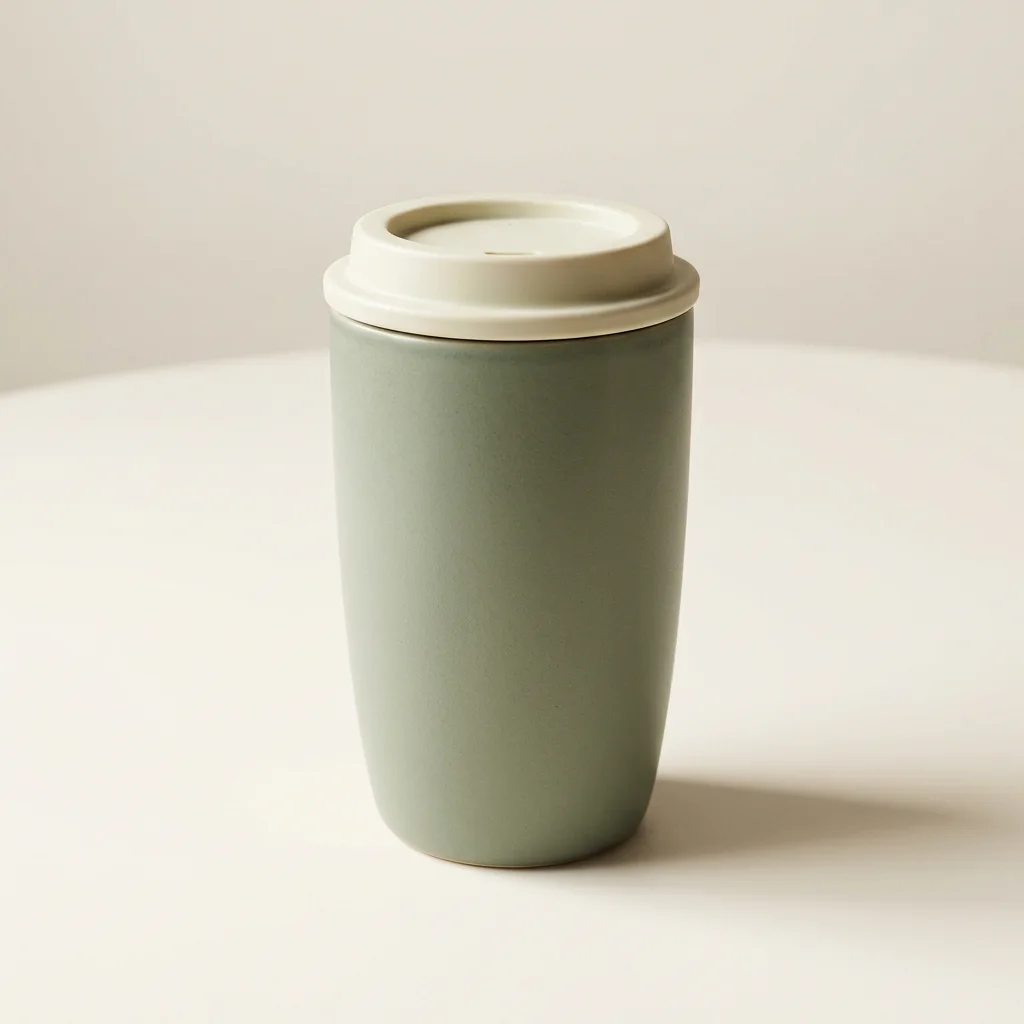
Sage-green ceramic travel mug on a warm studio background

Product scene

A 1K product composition from a text prompt.

Nano Banana 2.1 · 1K · 1 output
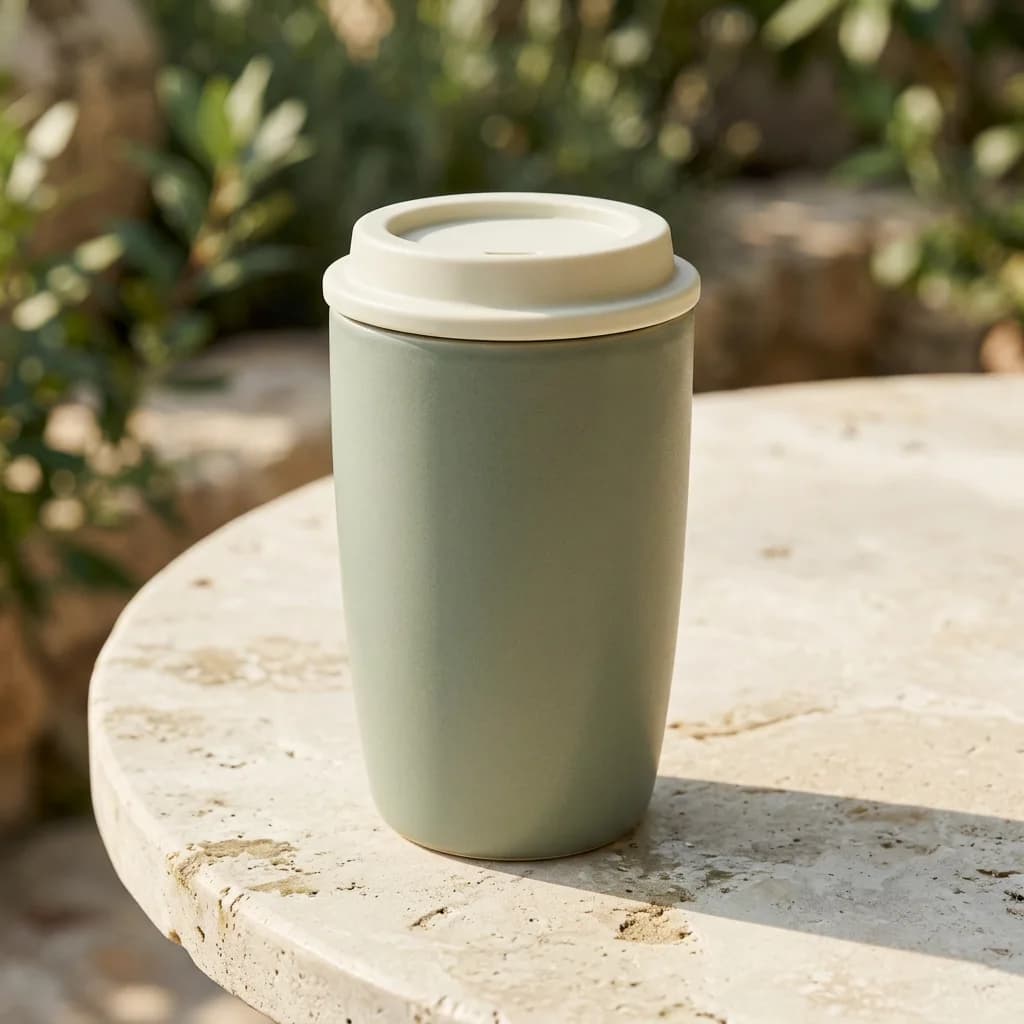
The same sage-green travel mug on a pale stone terrace

Single-image edit

A 1K reference edit with a changed setting.

Nano Banana 2.1 · 1K · 1 output

Product scene to setting edit

Left: product composition; right: a reference edit with a changed setting.
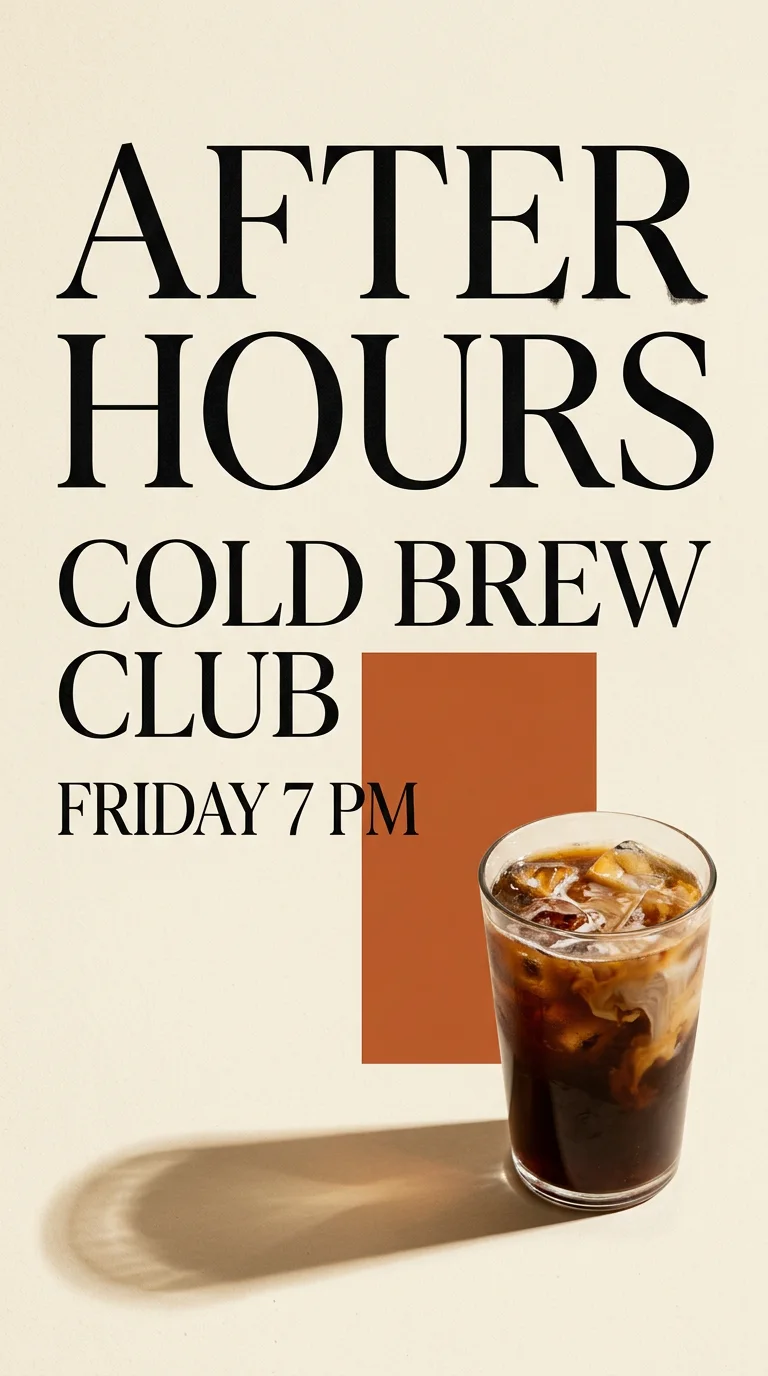
Editorial cold brew event poster with cream paper and orange accent

Cafe event poster

A 1K poster draft with short event copy.

Nano Banana 2.1 · 1K · 1 output

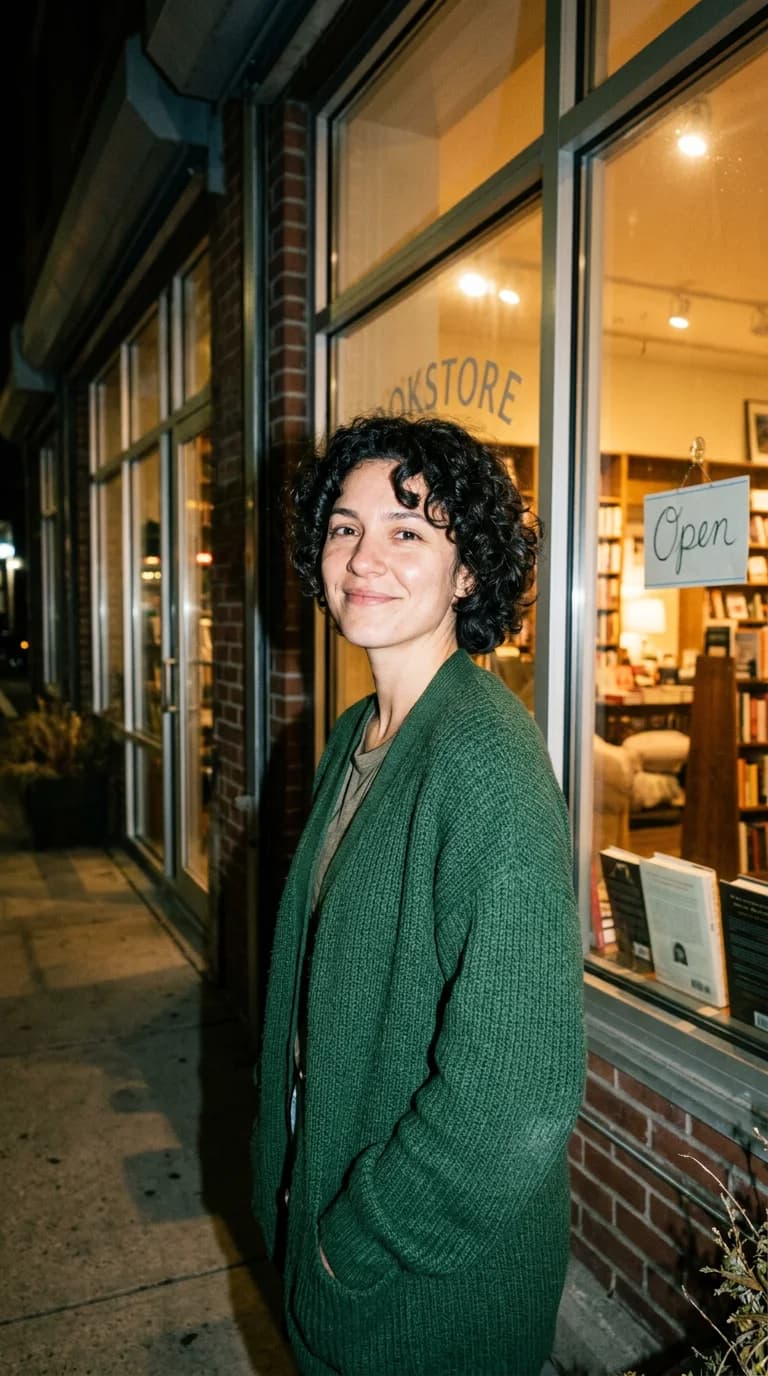
Adult portrait outside a warmly lit bookstore at night

Direct-flash portrait

A 1K portrait study with direct flash and film grain.

Nano Banana 2.1 · 1K · 1 output

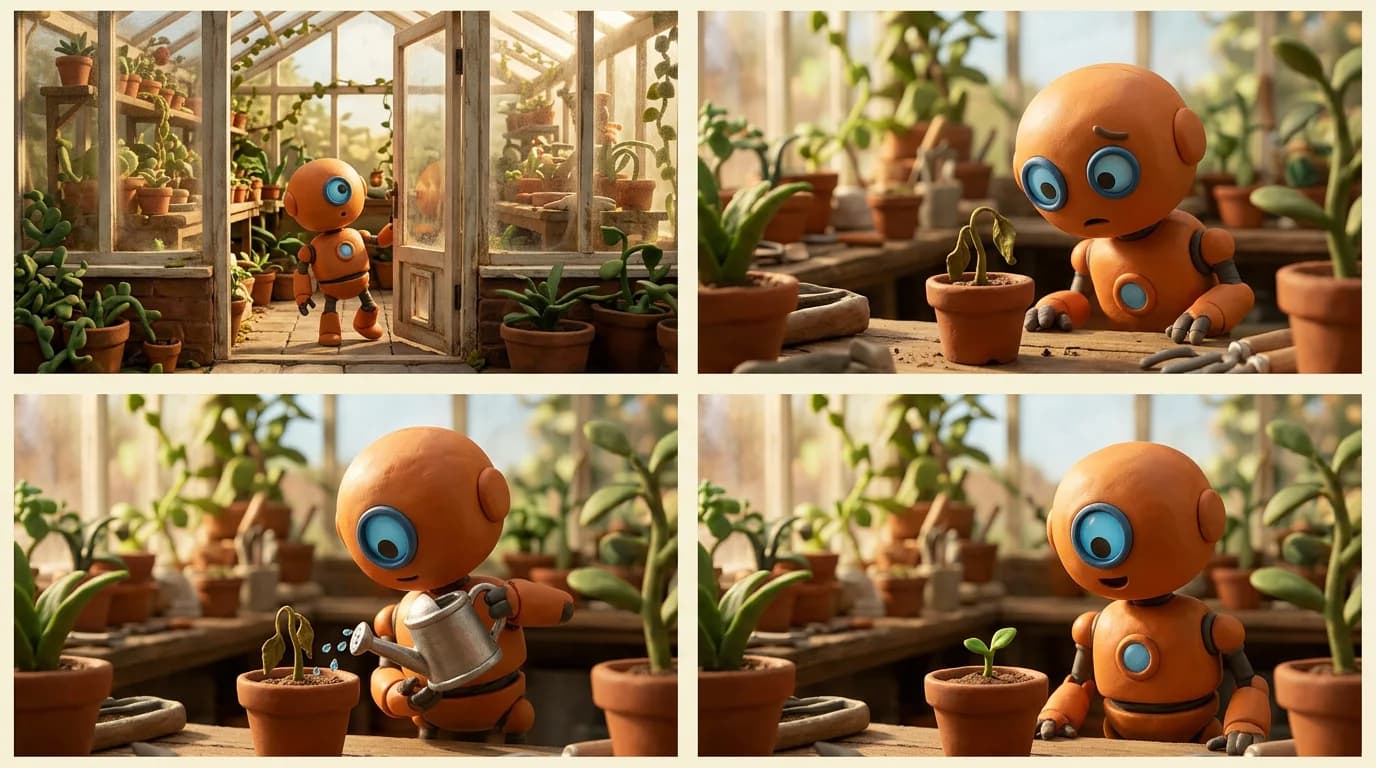
Four-panel greenhouse storyboard with a small orange maintenance robot

Four-panel storyboard

A 1K storyboard draft; small character details can vary between panels rather than staying perfectly consistent.

Nano Banana 2.1 · 1K · 1 output

12 original Nano Banana 2.1 workflow templates

These are original AwakePix workflow starters, not copies of third-party examples or proof of a tested result. Expand a card for the exact prompt; upload your own image when a reference is required.

Product workflows

Create a controlled product scene from your own reference photo.

Warm gray studio product

Reference

A clean hero frame for checking shape, color, label, and shadow.

1:1 · 1K · 1 output

Show exact prompt

Use the supplied product photo as the only product reference. Keep its silhouette, proportions, packaging colors, material, and readable label as close as possible. Place the same product on a warm gray seamless studio background with soft light from the upper left and a natural contact shadow. Keep generous empty space, one product only, no added accessories, logos, or text. Square 1:1 composition.

Prefill the generator →

Natural hand-held UGC frame

Reference

A lifestyle shot that keeps the reference product as the visual anchor.

9:16 · 1K · 1 output

Show exact prompt

Use the supplied product photo as the product reference. Show an adult person's natural hand holding the same product in a bright apartment near a window, as a candid vertical lifestyle photo. Preserve the product's shape, colors, materials, and label; keep the hand anatomically natural and the product fully visible. No testimonial text, invented claims, extra products, or recognizable person. 9:16 composition.

Prefill the generator →

Autumn window display

Reference

A restrained seasonal scene without covering the supplied packaging.

9:16 · 1K · 1 output

Show exact prompt

Keep the supplied product's proportions, material, package colors, and label. Change only the setting to a restrained autumn shop window with a few dry leaves and warm string lights around the product. Do not cover, redesign, or duplicate the product; keep its logo and label unchanged. Natural glass reflections, soft shadows, no extra copy or people. 9:16 composition.

Prefill the generator →

Portrait and editing

Try focused portrait changes while keeping the supplied subject in view.

Adult portrait outfit edit

Reference

Change the clothing while keeping the supplied person's main features in view.

1:1 · 1K · 1 output

Show exact prompt

Use the supplied portrait as identity reference. Preserve the adult subject's facial features, hairstyle, skin tone, expression, and framing as closely as possible. Change only the clothing to a dark green knitted cardigan and use a light gray studio background. Keep shoulders and head fully in frame, no new jewelry, logos, text, or other people. Square 1:1 portrait.

Prefill the generator →

Bookstore window scene

Reference

A calm environment edit with consistent light direction.

9:16 · 1K · 1 output

Show exact prompt

Keep the supplied adult subject's face, hair, clothing, and approximate pose. Move the setting to a quiet bookstore window with warm afternoon light and a softly blurred background. Match the light direction and keep the subject's proportions natural. Do not add other people, signage, text, or celebrity resemblance. Vertical 9:16 portrait.

Prefill the generator →

Photo to keepsake line art

Reference

Turn a supplied photo into a paper-textured keepsake draft.

1:1 · 1K · 1 output

Show exact prompt

Transform the supplied photo into a gentle hand-drawn keepsake page. Keep the subject's recognizable pose and main silhouette, simplify details into clean graphite and sepia line work, and add subtle warm paper grain. Preserve the overall composition; do not add captions, signatures, borders, logos, or extra people. Square 1:1 page.

Prefill the generator →

Posters and layouts

Explore short copy, clear hierarchy, and simple visual layouts.

Cold brew event poster

No reference

A short-copy poster brief with a clear hierarchy and negative space.

9:16 · 1K · 1 output

Show exact prompt

Design a 9:16 poster for a fictional coffee event. Show one iced cold brew on a simple counter with dark espresso, cream, and orange accents. Set the exact text in a clear hierarchy: ‘AFTER HOURS’ / ‘COLD BREW CLUB’ / ‘FRIDAY 7 PM’. Use generous negative space, clean alignment, and no other words, logos, or invented claims.

Prefill the generator →

Product ad with a short claim

Reference

A horizontal ad draft that leaves the final claim under the user's control.

16:9 · 1K · 1 output

Show exact prompt

Use the supplied product photo to make a 16:9 horizontal advertising draft. Place the product on the right and reserve clean space on the left for the exact short line ‘MAKE SPACE FOR BETTER’. Preserve the package design and colors. Do not invent certifications, awards, health claims, extra copy, or logos; keep the final image as a visual draft for review.

Prefill the generator →

Natural material word art

No reference

A playful short word made from leaves and soft natural texture.

1:1 · 1K · 1 output

Show exact prompt

Create a square editorial word-art poster using the exact short word ‘GROW’. Form the letters from overlapping green leaves on a warm paper background, with believable shadows and a few gaps between leaves. Keep the word centered and legible, with no other letters, logos, slogans, or photorealistic people. 1:1 composition.

Prefill the generator →

Character and video frames

Prepare a still character or product frame for a later video workflow.

Original character sheet

No reference

A consistent single-page reference for a later story or motion frame.

1:1 · 1K · 1 output

Show exact prompt

Create a square character reference sheet for an original adult courier in a mustard rain jacket, navy trousers, and red canvas bag. Show one full-body front view and two small expression studies on a clean paper background. Keep the same face, clothes, colors, and proportions across views. Add only the small heading ‘COURIER STUDY’; no real brands, extra characters, or dense text.

Prefill the generator →

Four-panel story frame

No reference

A visual storyboard draft whose individual panels can be reviewed before motion work.

16:9 · 1K · 1 output

Show exact prompt

Create a 16:9 four-panel storyboard for an original adult courier discovering a paper boat after rain. Keep the same courier, mustard jacket, red canvas bag, and color palette in every panel: 1) notices the boat, 2) kneels, 3) lifts it, 4) smiles toward the street. Use simple cinematic framing, clear panel gutters, no dialogue, captions, logos, or extra characters.

Prefill the generator →

Product video first frame

Reference

A stable still composition with room for a later camera move.

16:9 · 1K · 1 output

Show exact prompt

Use the supplied product image as reference and create a clean 16:9 first frame for a later video. Place the same product centered on a pale stone platform in soft morning light. Preserve its geometry, label, and material; leave clear space on both sides for a gentle camera move. No motion blur, text overlays, extra objects, or duplicate products. This is a still image only.

Prefill the generator →

These templates are original AwakePix workflow starters. Public examples are inspiration only and do not represent results from this page or guarantee an outcome.

How to start

  1. 01

    Choose a workflow

    Pick a direction from four groups and check whether it needs a reference.

  2. 02

    Review the input

    Upload your own image or edit the prompt, then confirm 1K and one output.

  3. 03

    Review and submit

    Check the current credits and warnings, then click Generate yourself.

Explore more AwakePix tools

AwakePix is an independent product and is not affiliated with or endorsed by Google. Nano Banana and Gemini are trademarks of Google; this page uses no Google logo.

Frequently asked questions

How does Nano Banana 2.1 work on AwakePix?

Choose a workflow, review the available settings and credits, then submit from the generator. The page supports image generation and single-image editing; availability can change with provider settings.

How much does it cost?

The generator shows the current credit requirement before submission. Pricing and availability can change with provider settings.

Can I use a reference image?

Yes, for templates marked Reference, upload your own image first. The template link never uploads an image or submits a job for you.

Does Nano Banana 2.1 make accurate text in images?

It can be useful for short text and layout drafts, but exact lettering can still contain errors. Check every word before publishing a poster, label, or advertisement.

Can Nano Banana 2.1 generate a video?

No. This page prepares a still image. The video first-frame templates are starting points for a separate image-to-video workflow; they do not submit a video job.

What should I do when a generation fails?

Read the generator's error and settings, then check the prompt, reference image, and available credits. Confirmed failed paid requests are handled by the site's refund flow.