Create with GPT Image 2.6 Flare or Sunburst: text-to-image and single-reference editing at 10 credits per image. A free GPT Image 2.5 preview is also available without signing up.
Real output · exact prompts
AI generated product ads examples
Every image below came from a model available in AwakePix. The charged credits and exact prompt are kept so you can compare and reuse them.
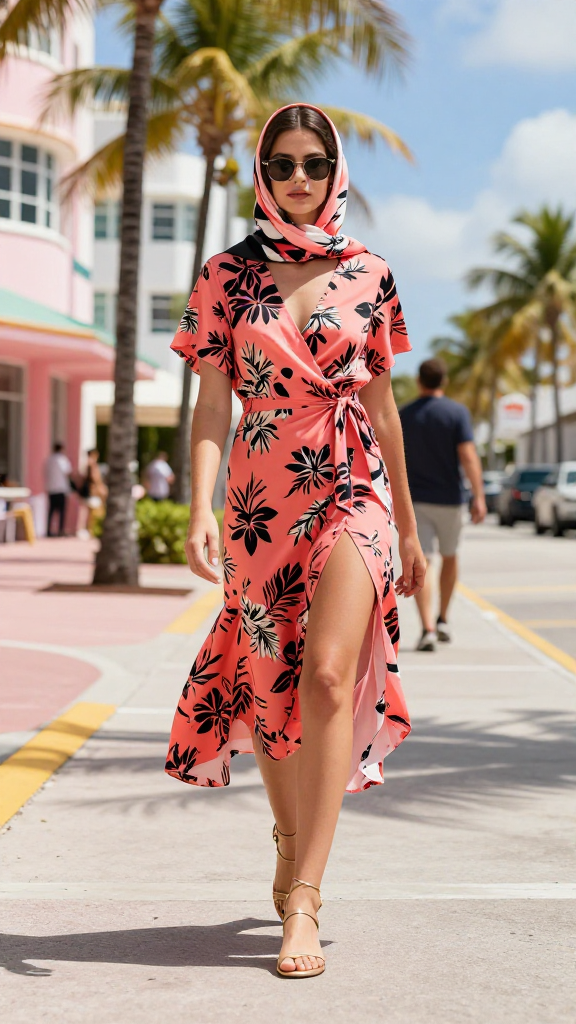
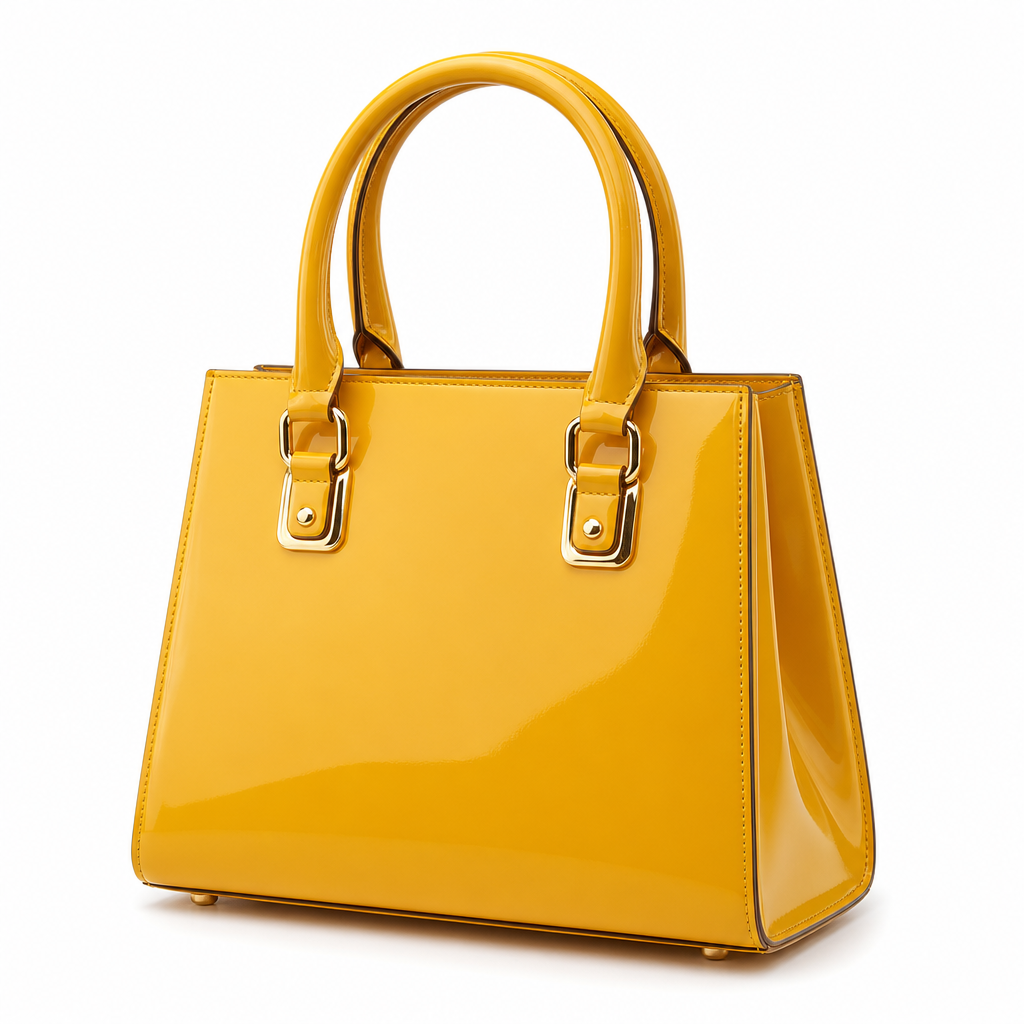
Input materials (two archived sources)
Input 1Input 2
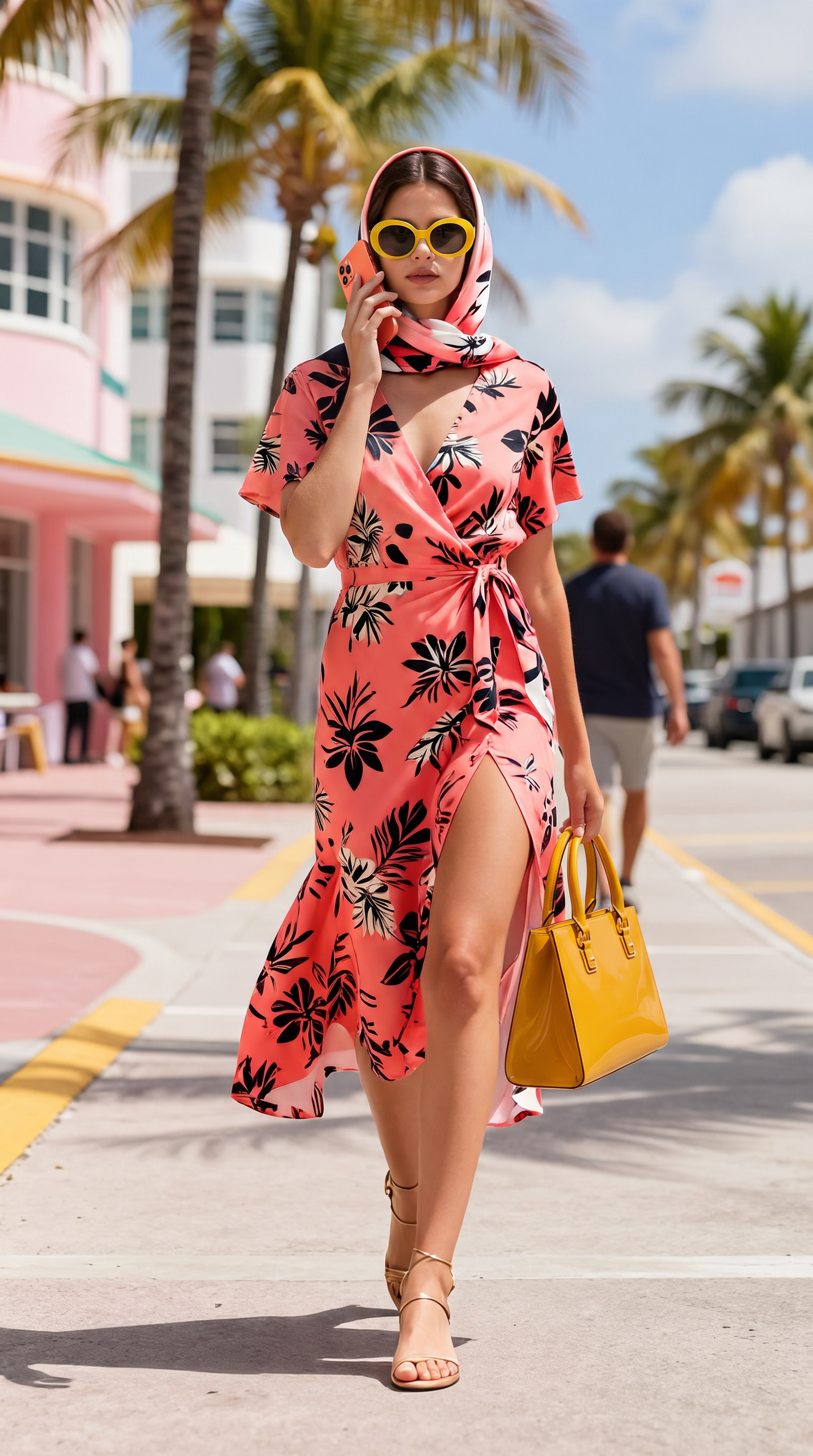
Output
Nano Banana Pro
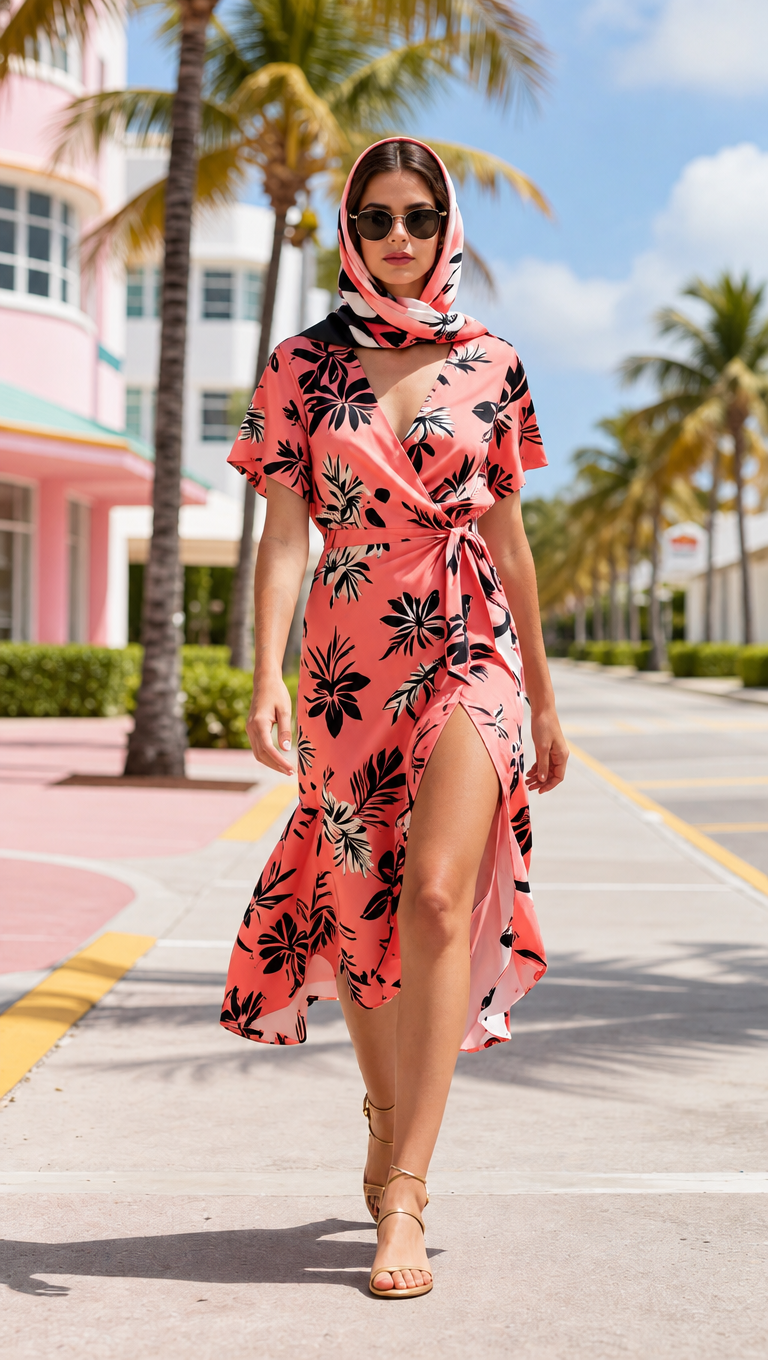
Three products composed onto a model
14 credits
Read the exact prompt
Use the first image as the base scene and person. Add all three products from images 2, 3 and 4 onto her.
1) The handbag from image 2, carried in her right hand by its two rounded top handles: keep its trapezoid body, mustard-yellow patent finish and gold buckle hardware.
2) The sunglasses from image 3, worn on her face replacing the ones she already wears: keep their oversized oval shape, glossy bright yellow acetate frame and dark grey lenses.
3) The smartphone from image 4, held up to her ear with its BACK facing the camera. Reproduce the phone exactly as in image 4: a coral orange aluminium body AND, most importantly, the SQUARE TRIPLE-CAMERA MODULE in the top-left corner of the back, with its three distinct round lenses clearly visible. The phone must not be a plain featureless slab.
Keep her face, hair, headscarf, dress, pose and the street background unchanged. Every product keeps its exact shape, colour, hardware and plain logo-free surface from its source image. Match the scene lighting and add correct contact shadows. Do not add any other object, text or logo.
Nano Banana Pro
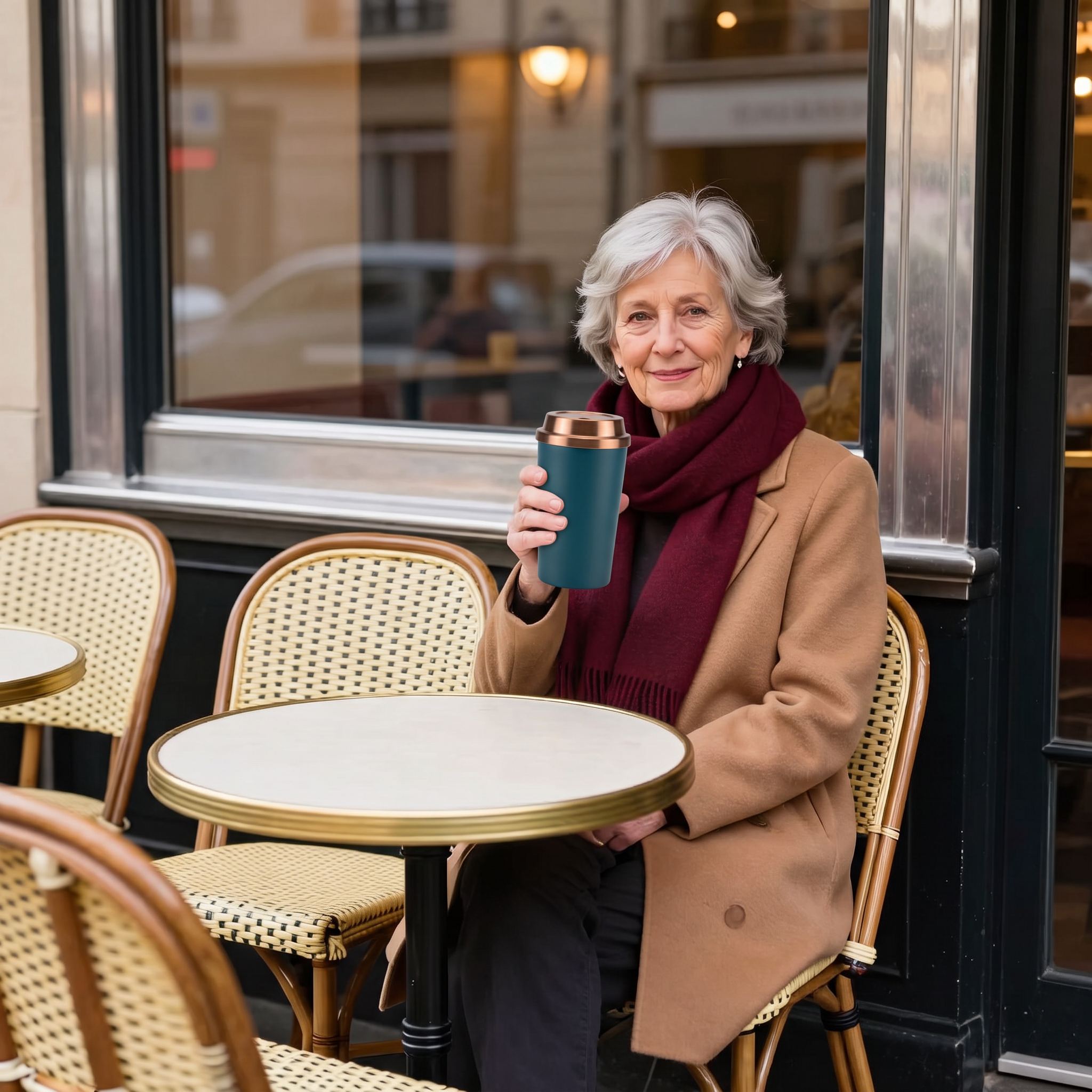
Travel mug composed into a portrait
14 credits
Read the exact prompt
Use the first image as the base scene and person. Place the exact travel mug from the second image in the woman's hands, held in front of her as if she is about to drink from it. Keep her face, silver hair, camel coat, burgundy scarf, pose and the Parisian cafe background completely unchanged. The mug must keep its exact tapered shape, matte deep teal steel body, brushed copper screw lid and plain logo-free surface from the second image. Match the scene lighting and add a correct contact shadow. Do not add any other object, text or logo.
GPT Image 2.5 Sunburst
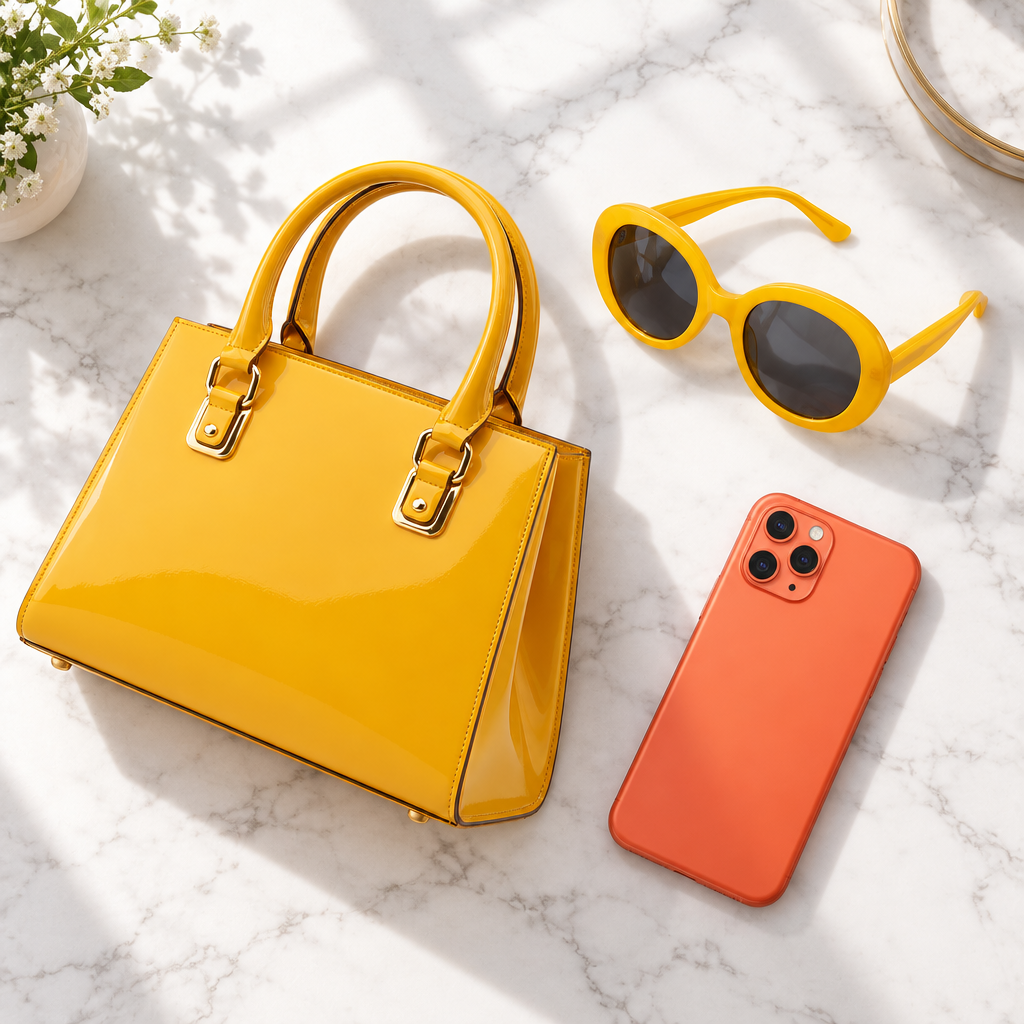
Three-product flat lay
4 credits
Read the exact prompt
Combine the three products from the images into one flat-lay photo on a clean white marble surface with soft window light. Keep each product's exact shape, colour and hardware unchanged. No text, no logo, no watermark.
GPT Image 2.5 Sunburst
Distracting people removed from the background
2 credits
Read the exact prompt
Remove distracting people and objects from the background. Keep the main subject, identity, pose, clothing, camera angle, framing, and all other details unchanged. Fill the edited areas naturally.
The single biggest difference between a prompt that works and one that does not is whether it says anything about composition. Where the subject sits in the frame, how much empty space surrounds it, what the light is doing. A prompt naming only the subject returns the statistical average of that subject; a prompt naming the frame returns something you can use.
A visible price for every model
GPT Image 2.5 provides one free text-to-image preview per day. Paid image generation and reference-image editing use credits; the total can change with the model or number of references, and the current charge appears beside the submit button.
Text inside images actually works here
Available image models can attempt posters, cards and headline images. Keep the copy brief and inspect every word, mark and layout; use an editor when accurate text is required.
Try different directions
Image and video waiting times vary with the model, settings and queue. Before comparing several directions, check the remaining free allowance or paid credit quote for each attempt; no fixed completion time is promised.
Verified image models with a live credit estimate
1:1, 16:9, 9:16, 4:3 and 3:4
Try posters and cards; review generated text
Check the current task status for waiting time
Questions
What does one image cost?
GPT Image 2.5 offers one free text-to-image preview per day, with no sign-up required to generate; an account is needed to download the result. Paid image generation and reference-image editing use credits, with the current total shown before submission.
How is this different from writing a video prompt?
Images reward describing layout rather than motion. Say where things sit in the frame, how much empty space you want, what the light is doing. Camera paths and timing, which matter for video, do nothing here.
Can it render text inside the image?
Image models can attempt short text, but accurate lettering is not guaranteed. Keep the copy brief, review it before publishing and correct it in an editor when needed.
What aspect ratios are available?
The supported ratios are 1:1, 16:9, 9:16, 4:3 and 3:4; use the options currently shown in the generator.
Do I need an account?
GPT Image 2.5 offers a daily free text-to-image preview without registration; an account is needed to download the result. Paid image generation and reference-image editing use credits, and the current charge is shown before submission.
How long does an image take?
Waiting time varies with model, settings and queue. Three past GPT Image 2 runs took 37–54 seconds; that record does not predict GPT Image 2.5 or other models, or guarantee this run’s completion time.
What makes a prompt produce a deliberate-looking image?
Constrain the palette, name the lighting setup, and specify the camera and lens if you want photographic output. 'A mug on a table' averages every mug photo. 'A single ceramic mug on pale linen, 50mm at f/2, soft window light from the left, muted warm palette, generous space above for a headline' produces a shot you could actually use.