Upload a photo, describe what should change, and use credits for the paid edit; then send the new version straight into video if you want.
Real output · exact prompts
AI generated product ads examples
Every image below came from a model available in AwakePix. The charged credits and exact prompt are kept so you can compare and reuse them.
Input materials (two archived sources)
Input 1Input 2
Output
Nano Banana Pro
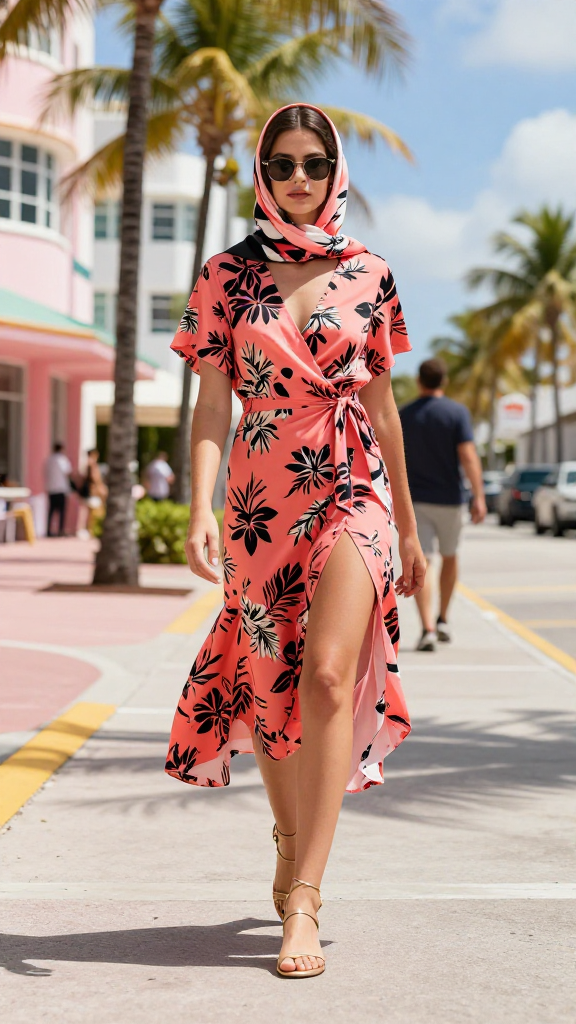
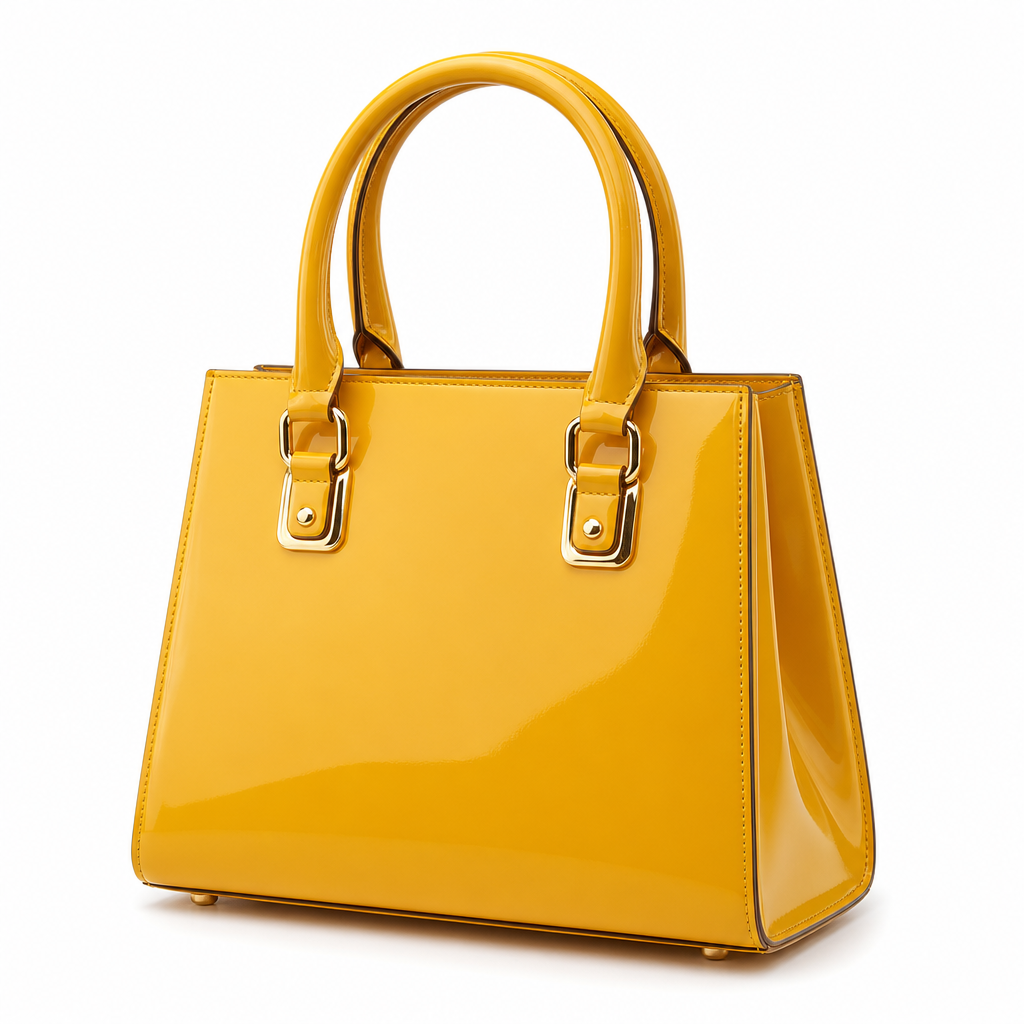
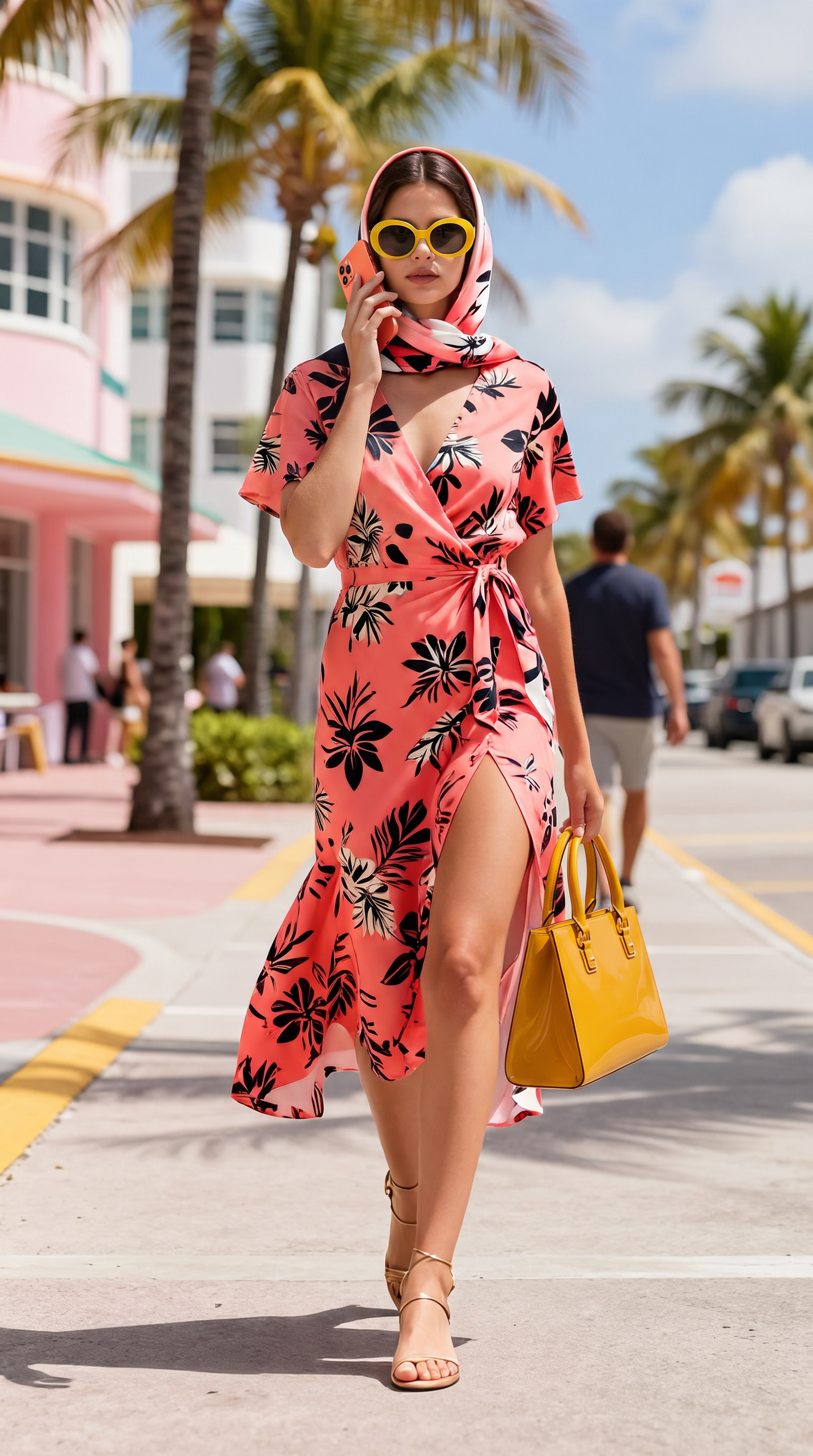
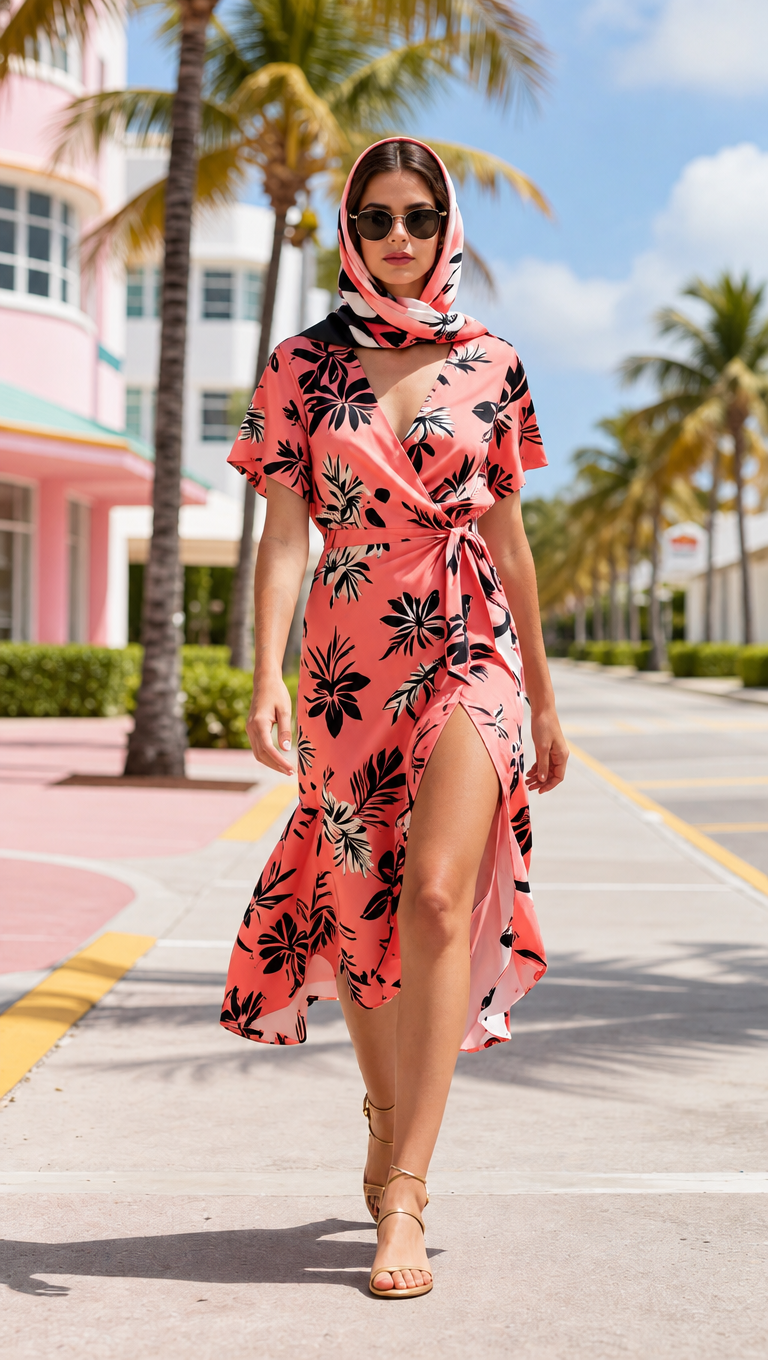
Three products composed onto a model
14 credits
Read the exact prompt
Use the first image as the base scene and person. Add all three products from images 2, 3 and 4 onto her.
1) The handbag from image 2, carried in her right hand by its two rounded top handles: keep its trapezoid body, mustard-yellow patent finish and gold buckle hardware.
2) The sunglasses from image 3, worn on her face replacing the ones she already wears: keep their oversized oval shape, glossy bright yellow acetate frame and dark grey lenses.
3) The smartphone from image 4, held up to her ear with its BACK facing the camera. Reproduce the phone exactly as in image 4: a coral orange aluminium body AND, most importantly, the SQUARE TRIPLE-CAMERA MODULE in the top-left corner of the back, with its three distinct round lenses clearly visible. The phone must not be a plain featureless slab.
Keep her face, hair, headscarf, dress, pose and the street background unchanged. Every product keeps its exact shape, colour, hardware and plain logo-free surface from its source image. Match the scene lighting and add correct contact shadows. Do not add any other object, text or logo.
Nano Banana Pro
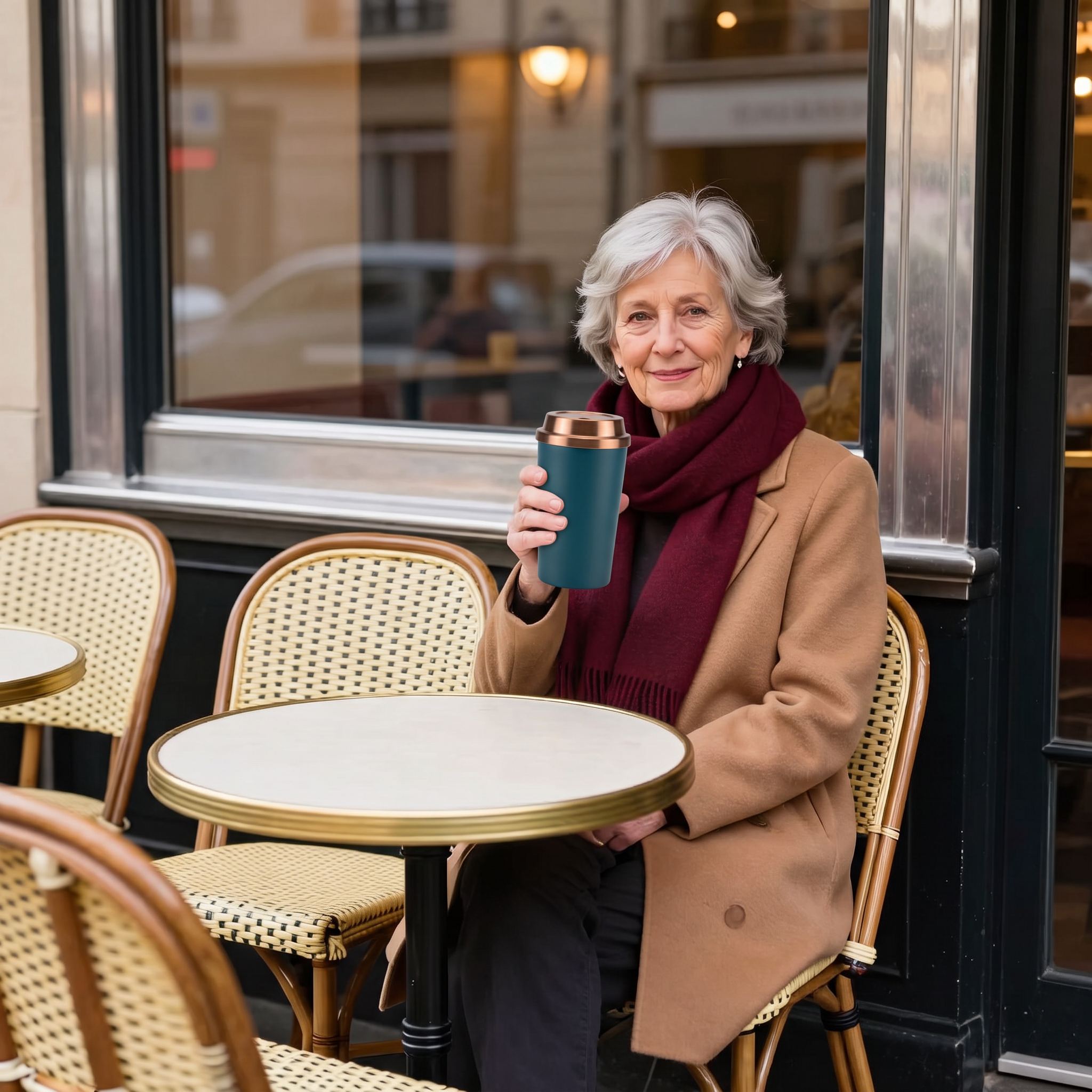
Travel mug composed into a portrait
14 credits
Read the exact prompt
Use the first image as the base scene and person. Place the exact travel mug from the second image in the woman's hands, held in front of her as if she is about to drink from it. Keep her face, silver hair, camel coat, burgundy scarf, pose and the Parisian cafe background completely unchanged. The mug must keep its exact tapered shape, matte deep teal steel body, brushed copper screw lid and plain logo-free surface from the second image. Match the scene lighting and add a correct contact shadow. Do not add any other object, text or logo.
GPT Image 2.5 Sunburst
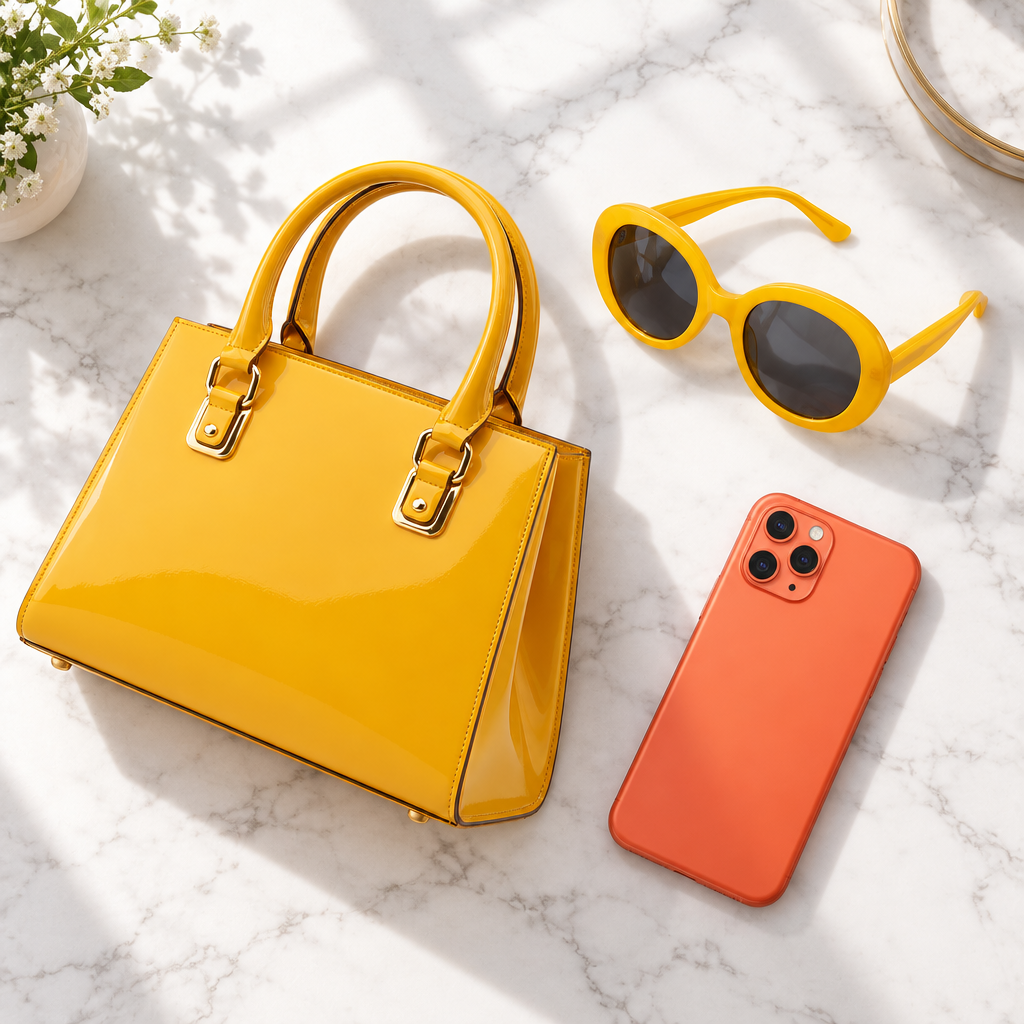
Three-product flat lay
4 credits
Read the exact prompt
Combine the three products from the images into one flat-lay photo on a clean white marble surface with soft window light. Keep each product's exact shape, colour and hardware unchanged. No text, no logo, no watermark.
GPT Image 2.5 Sunburst
Distracting people removed from the background
2 credits
Read the exact prompt
Remove distracting people and objects from the background. Keep the main subject, identity, pose, clothing, camera angle, framing, and all other details unchanged. Fill the edited areas naturally.
The reference anchors composition, proportion and broad colour, but every pixel in the output is generated. This is what lets the model relight a scene or change a material, and equally why fine detail drifts. Faces and small lettering are where you will notice it first, so those are what to check before calling a result done.
Describe the change, not the picture
The most common mistake is re-describing what is already visible. The model can see your photo; spending the prompt on its contents wastes the instruction. Say what should be different — the palette, the medium, the light, the season — and let the reference carry everything you did not mention.
Contradictions get resolved arbitrarily
Asking to keep a subject exactly as they are while also changing their pose sets two goals that cannot both hold. The model will satisfy one and drop the other, and which one is not predictable. When a result ignores half your instruction, the fix is usually to split it into two passes rather than to rewrite it more forcefully.
Restyle, then animate, without leaving
This is why image and video live in one generator here. Rewrite a photo, then flip the output to video and use the new version as your first frame. The reference edit uses the credit total shown beside the button; the video uses the selected video model’s own credit quote, with timing that varies by settings and queue.
Live credit estimate by model and reference count
Reference guides composition and colour
Result can become the first frame of a video
Result kept in your account history
Questions
How much of my original photo survives?
More than text-to-image and less than you probably expect. The reference anchors composition and broad colour, but the model still regenerates every pixel. Faces and small text are where drift shows first, so check those before deciding a result is usable.
How is this different from a filter?
A filter maps your pixels to new pixels. This regenerates the image from scratch using yours as guidance, which is why it can add and remove objects, change materials and relight a scene — and also why it will not preserve fine detail the way a filter does.
What should the prompt describe?
The change, not the whole picture. If your photo is already a portrait by a window, say what should be different — the light, the palette, the medium — rather than re-describing the portrait. Restating what the model can already see wastes the instruction.
What does it cost?
This is a paid reference-image editing flow that uses credits based on the selected model and number of references. The generator recalculates the total beside the button as you add images or change models; review the current charge before submitting.
Can I take the result straight into video?
After editing an image, switch to video in the same generator and use the result as the first frame without re-uploading. Each generation uses its own current credit quote, and timing varies with settings and queue.
What happens to my uploaded photo?
It goes to the model provider to generate from, and the result stays in your account history. We never use either to train models. The photo does reach our provider, so we only make that promise for ourselves.
Why did my result ignore part of the instruction?
Usually because the instruction contradicted the reference. Asking to keep a subject identical while also changing their pose gives the model two goals it cannot satisfy at once, and it will pick one. Split contradictory changes across two passes.