How to Make an I Love the Smiths AI Video
Prepare two separate adult portraits
Choose one photo for each person, and decide the roles before uploading. Photo A becomes the person on the left who wears the headphones. Photo B becomes the person on the right who speaks the lines. Each file should show exactly one adult, with a clear front-facing view, even light, and at least the head-to-chest area visible. Keep both faces unobstructed and choose photos with similar framing when possible. Do not combine the two people into one source image. Use a photo you own or a photo from an adult who has agreed to appear in this video and to the way you plan to share it. The two-photo order is fixed, so check the labels carefully before selecting a file.
Match the upload slots to the intended roles
The first upload is A: the headphone wearer on the left. The second upload is B: the person who says the dialogue on the right. This distinction matters because the composition and the timed actions are prepared around those positions. Use two separate, suitable portraits rather than a group photo, and check the labels before submitting. The page asks you to confirm that both people are adults and that both have agreed to appear. Confirm that statement only when it is true. The confirmation is about permission; it does not replace the requirement for two clear, suitable portraits.
Review the fixed format and submit
After signing in, review the quote of 120 credits before submitting. This preset creates a 15-second 720p video in a 16:9 landscape frame with AI-generated audio. There is no custom prompt or model selector, and the dialogue and timing are fixed so the two roles remain easy to follow. The first stage prepares a landscape elevator still from the two photos; the second stage animates that still into the short exchange. The opening image is a stylised generated scene, not a frame from the film. Keep the roles in mind as you review the form, then submit only after both files and the consent confirmation are correct.
Watch the complete result before downloading
Generation usually takes a few minutes, but it can take longer. You may leave the page while the existing task continues, then return to this page or open My creations to check its status. When the video is ready, play all 15 seconds with sound. Check that A remains on the left with the headphones, B remains on the right, the spoken lines are understandable, and the final pause reads clearly. Inspect faces, hair, clothing, hands, the elevator background, lip movement, and audio. Download only after deciding that the finished clip is suitable for your intended audience and use.
What Makes the I Love the Smiths AI Video Work
A simple five-beat elevator exchange
The preset is one continuous landscape shot, framed from the chest up. From 0 to 3 seconds, faint music leaks from A’s headphones; A doesn’t notice, but B hears it, smiles to themselves and glances at the headphones. From 3 to 5 seconds, B says, “I love the Smiths,” and A pulls the headphones down to the neck. From 5 to 7 seconds, A turns and asks, “Sorry?” From 7 to 10 seconds, B answers, “I said I love the Smiths. You have good taste in music.” From 10 to 12 seconds, A asks, “You like the Smiths?” From 12 to 15 seconds, B softly hums a few wordless notes along with the music while A breaks into a smile. The timing gives the joke a setup, reply, clarification and reaction without requiring a custom script.
The two photos establish the casting and composition
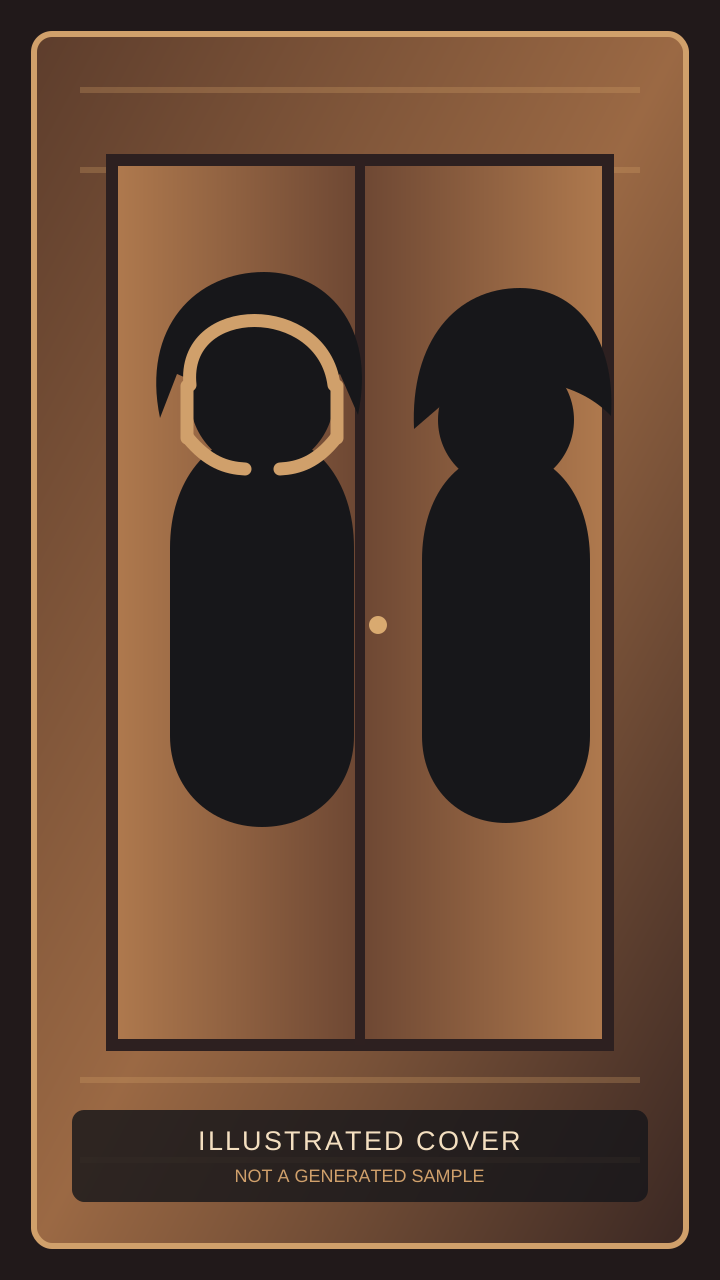
The workflow uses the first portrait for the left position and the second portrait for the right position. The scene then places both adults in a small retro office elevator with warm wood walls and a fixed camera. A wears large over-ear headphones; B looks toward A and delivers the dialogue. The people stay apart, with no touching, hugging, or kissing. A clear head-to-chest portrait gives the generated composition useful information about each face, hair, clothing, and upper-body shape. Similar crops help the pair feel balanced, but they do not guarantee identical height, anatomy, expression, or motion in the finished video.
AI-generated audio keeps the clip self-contained
The result includes AI-generated audio: a quiet elevator atmosphere, faint indistinct music leaking from the headphones, the spoken dialogue, and a short wordless hum at the end. The headphone sound is intentionally not a recognisable recording. Listen to the actual downloaded file rather than assuming that every word or lip movement will match perfectly. If you publish the clip on TikTok, you can download it first and use the platform’s available audio tools to replace or add sound according to your account and the rights for that use. The template itself does not provide a copyrighted recording or the original film audio.
I Love the Smiths AI Video Ideas
Make a recognisable two-person reaction
Use portraits of two consenting adults whose expressions and everyday clothes you want to preserve. The fixed dialogue creates a small social misunderstanding, while the five-second look at the end gives the reaction room to land. The idea works best when both faces are easy to recognise and the upload order is intentional. Before sharing, ask whether the final tone feels playful and whether both people are comfortable with the result. A short caption can explain that the clip is AI-generated, but keep text away from the faces and the dialogue moment when you edit it for a social post.
Use the format as a friendly inside joke
The elevator setup is useful for a private message, a birthday gag, or an inside joke between friends, provided the people shown have agreed to the use. Select photos with similar head-to-chest framing so neither person dominates the landscape composition. Because the script is fixed, your creative choice is mainly the casting, the photo quality, and where you share the finished file. Watch it together when appropriate and respect a request not to post it publicly. Permission should cover the intended audience, not just the upload itself.
Try different approved portraits thoughtfully
If a first result is not a good fit, compare the original portraits before trying another pair. Look for even lighting, an unobstructed face, enough space around the shoulders, and a similar camera distance. Change one input at a time when possible so you can tell what helped. A new pair is a new generation and has its own quote; review the displayed credits before submitting again. Do not keep resubmitting while an earlier task is still waiting for confirmation, because the existing task should be checked before creating another request.
Tips for a Better I Love the Smiths AI Video
Choose clear, calm, front-facing photos
Even light and a straightforward expression make the two portraits easier to compare with the generated opening frame. Avoid sunglasses, heavy shadows, hands over the face, extreme filters, and crops that cut through the chin or chest. Keep backgrounds simple when possible, and remove other people from the frame. Head-to-chest is the useful minimum for this preset because the scene needs the face, shoulders, headphones, and the start of the upper-body action. These are selection recommendations, not a promise of identical identity or movement. The photo checks can reject an image that is not a suitable single-adult portrait.
Keep A and B in the correct order
Before pressing submit, say the roles out loud: A is the left headphone wearer; B is the right speaker. The fixed sequence depends on that mapping. A role swap may produce a clip whose dialogue and visual actions no longer match the people you intended. Use the exact labels in the upload form, confirm that each image contains one adult, and make sure both adults have agreed to appear. If one photo is rejected, the task does not proceed and credits are not reserved. Do not work around a rejected image by changing the role labels; choose a compliant, authorised photo instead.
Review the whole shot and preserve the original task
A completed result can still contain small differences in face, hands, timing, pronunciation, or lip movement, so review it from the first frame to the last. A confirmed generation failure automatically returns deducted credits under the existing credit rules. A download problem is handled as delivery recovery for the existing result, not as a reason to submit a duplicate. If submission is uncertain, keep the original task and check its status and credit history. A task that remains undelivered reaches the existing 24-hour delivery deadline and is then handled as a failure with the applicable credit return. Account video results are kept for 365 days; download anything you want to retain before its displayed expiry.