01
Describe
Describe the subject, layout and text. Upload one original image for edits.
AwakePix ·
Create posters, product visuals or storyboards from text or one reference image. Browse real examples and copy their prompts. Sign in and verify your email for one free image daily; availability may vary at peak times. Paid generation offers 1, 2 or 4 images at 10 credits each. Download 1K PNGs; GIF, transparency and markup editing remain capability examples coming soon.
10 credits · measured ~10–35 sec · PNG 1K · text or 1 reference
Timing is from four measured tasks, not a completion-time guarantee.
Try a free GPT Image 2.5 preview ↗Describe the subject, layout and text. Upload one original image for edits.
Choose Flare or Sunburst and an image count, check the free allowance or credit total, then submit.
Review text and details, then download and back up your PNG.
Credits are returned automatically for confirmed failed tasks. For processing or unconfirmed tasks, check your history first.
What it is: An image generation and editing model family with Flare and Sunburst options.
How to use it: Write a description, or upload a single reference and specify the changes.
What to make: Typographic posters, product infographics, targeted edits and storyboards.
Eight new images generated on AwakePix show single-image and batch results. Copy the original prompts and inspect every variation.
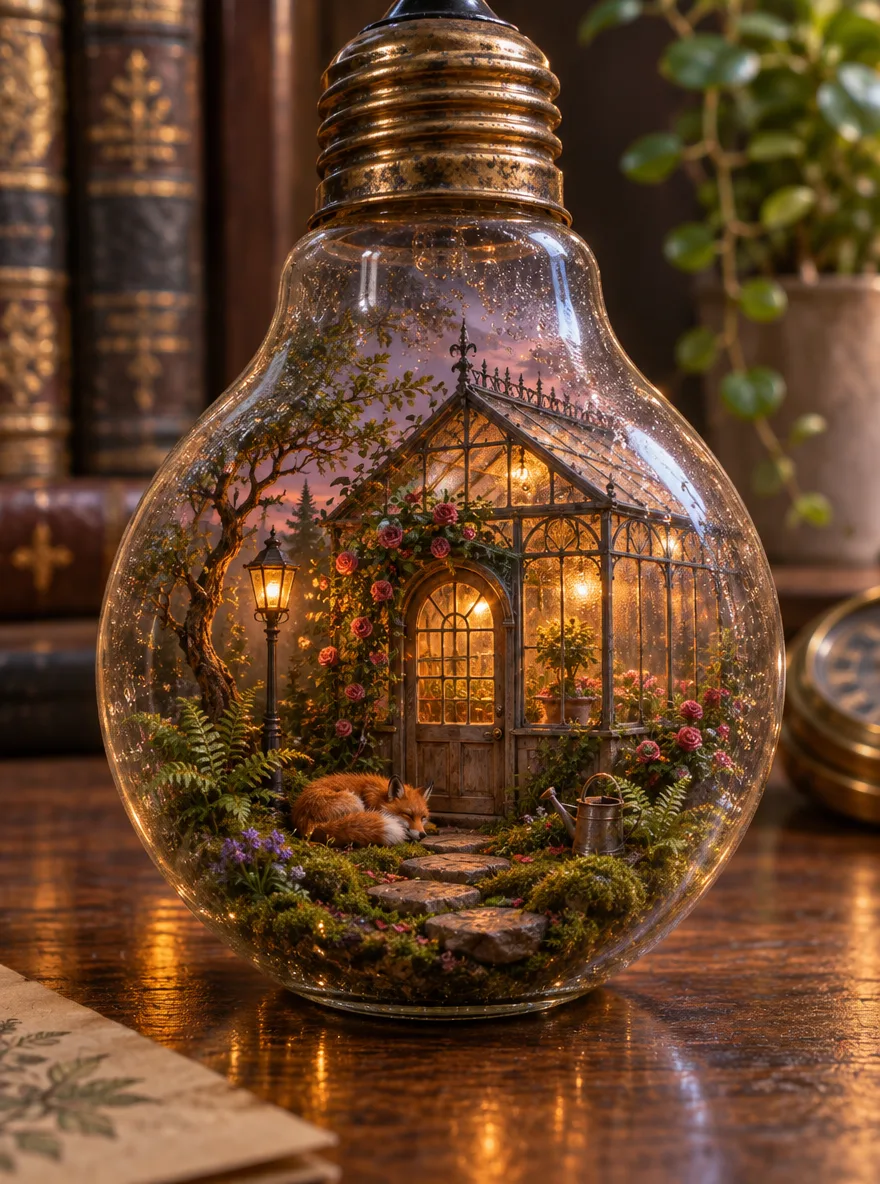
Flare · 3:4
A hyper-detailed miniature diorama sealed inside a vintage glass light bulb resting on a walnut desk: a tiny Victorian greenhouse at dusk, warm lamplight glowing through fogged glass panes, moss, ferns and climbing roses, a sleeping red fox curled by the greenhouse door, dew drops on the bulb's inner surface. Macro product photography, shallow depth of field, tilt-shift focus, soft cinematic rim light, realistic glass refraction and reflections.
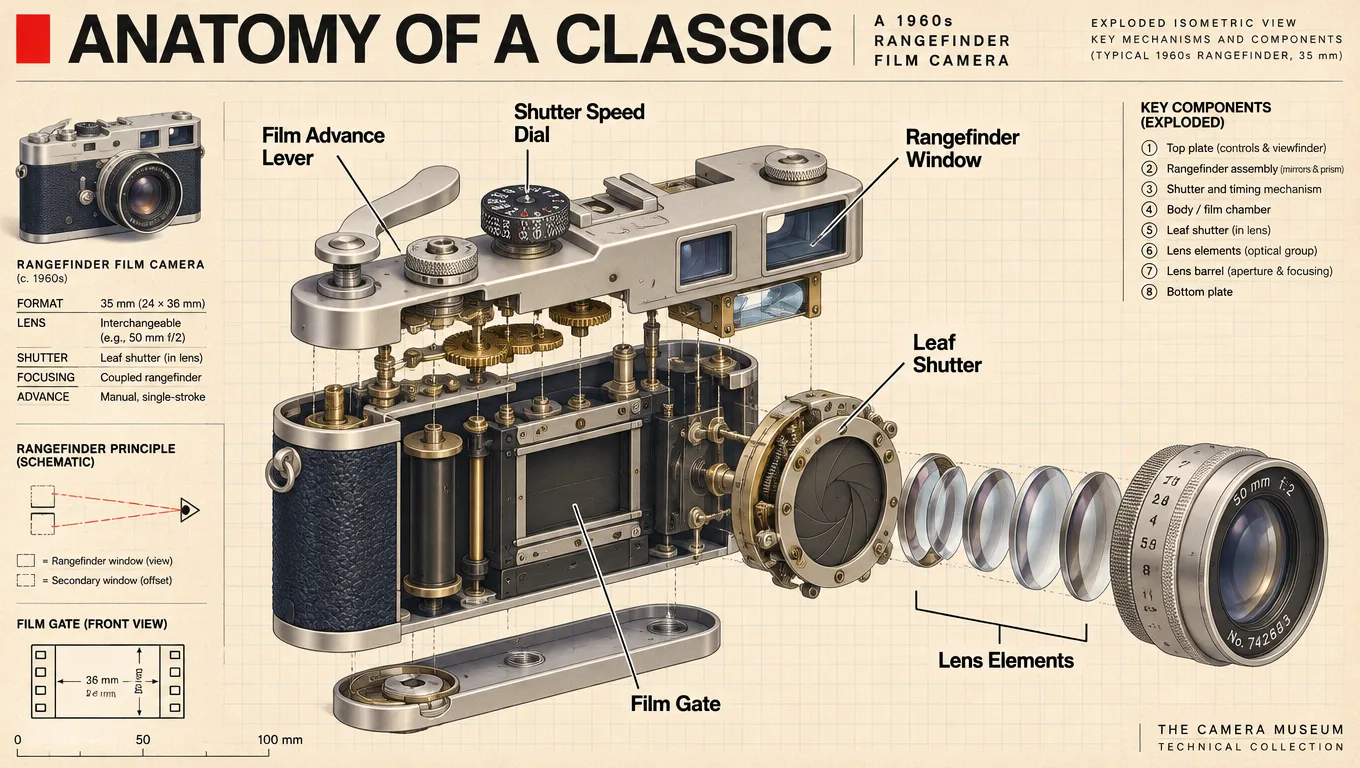
Sunburst · 16:9
An exploded isometric technical illustration of a 1960s rangefinder film camera. Every component floats in precise alignment with thin leader lines and crisp English labels: "Shutter Speed Dial", "Rangefinder Window", "Film Advance Lever", "Leaf Shutter", "Lens Elements", "Film Gate". Header in bold Swiss-style typography: "ANATOMY OF A CLASSIC". Warm cream paper background, muted navy and brass accents, subtle blueprint grid, museum-catalog quality.
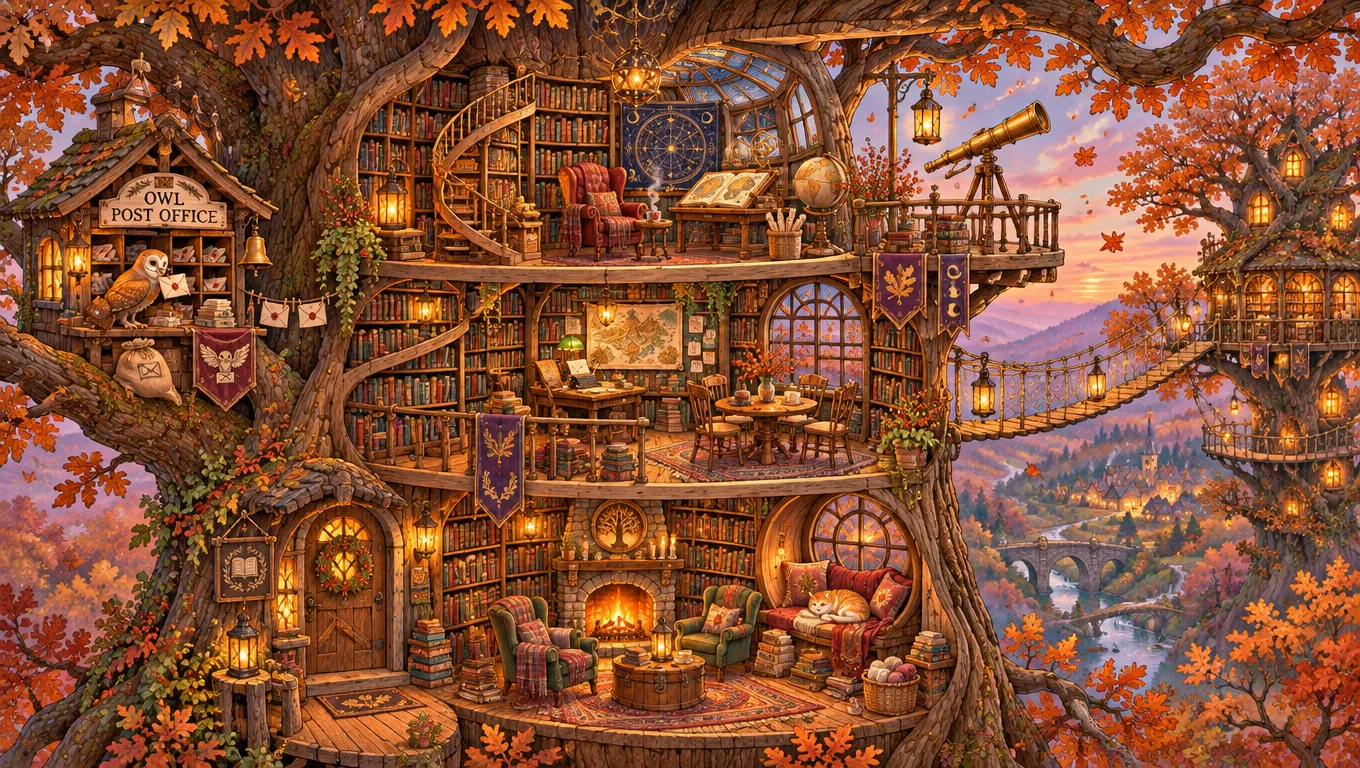
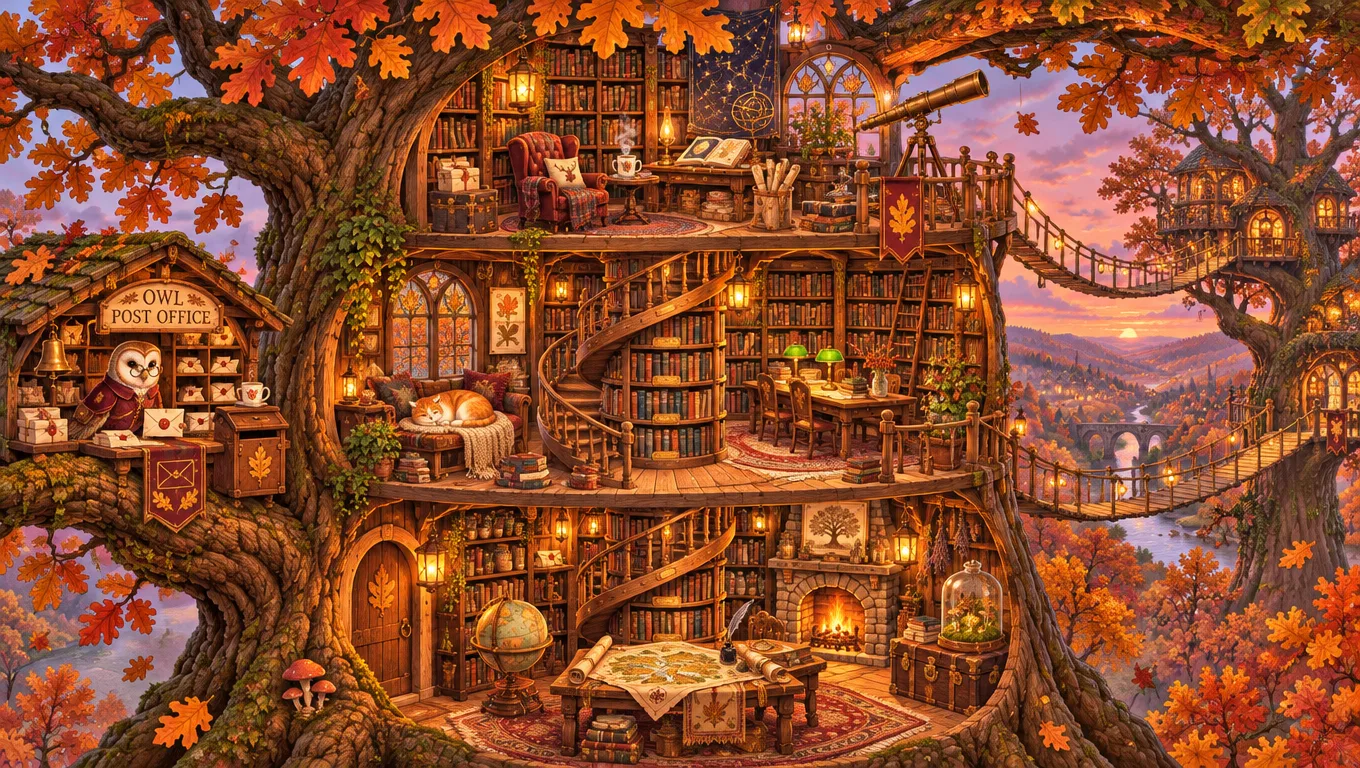
Sunburst · 16:9
2 images in one batch
A cozy isometric cutaway illustration of a three-story treehouse library built into a giant oak in late autumn. Each floor is packed with tiny details: spiral bookshelves, a reading nook with a sleeping cat, a brass telescope on the top deck, rope bridges to a neighboring tree, lanterns glowing amber at dusk, falling orange leaves, a small owl post office on a branch. Warm painterly lighting, rich texture, crisp linework, highly detailed miniature world, picture-book masterpiece.
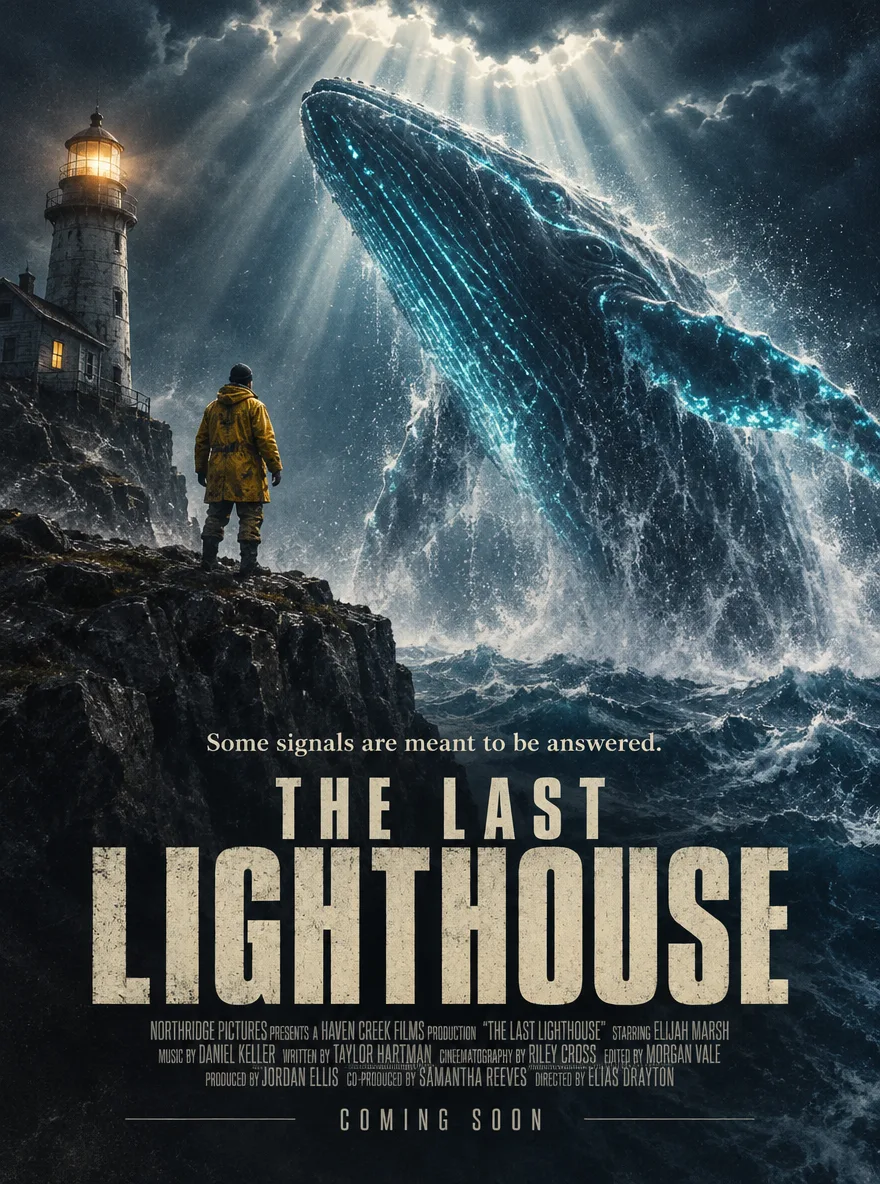
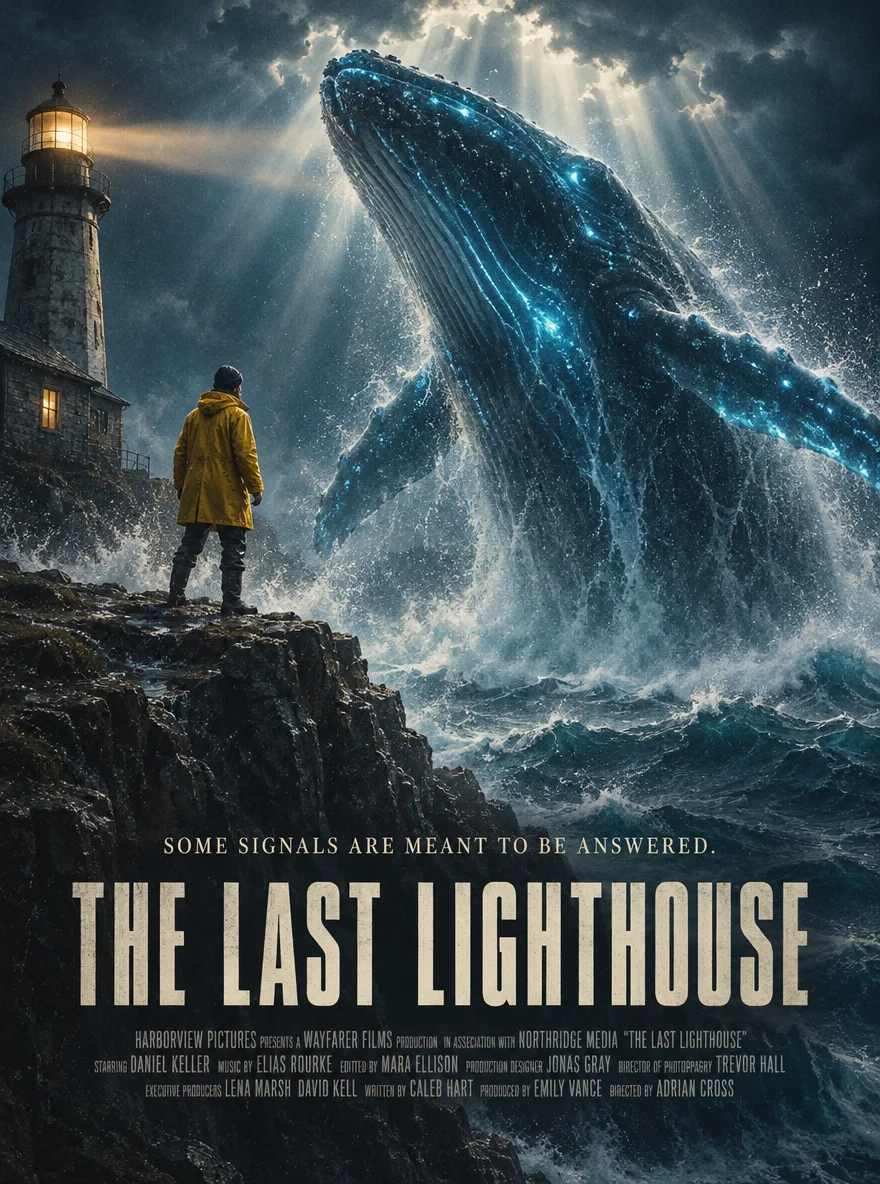
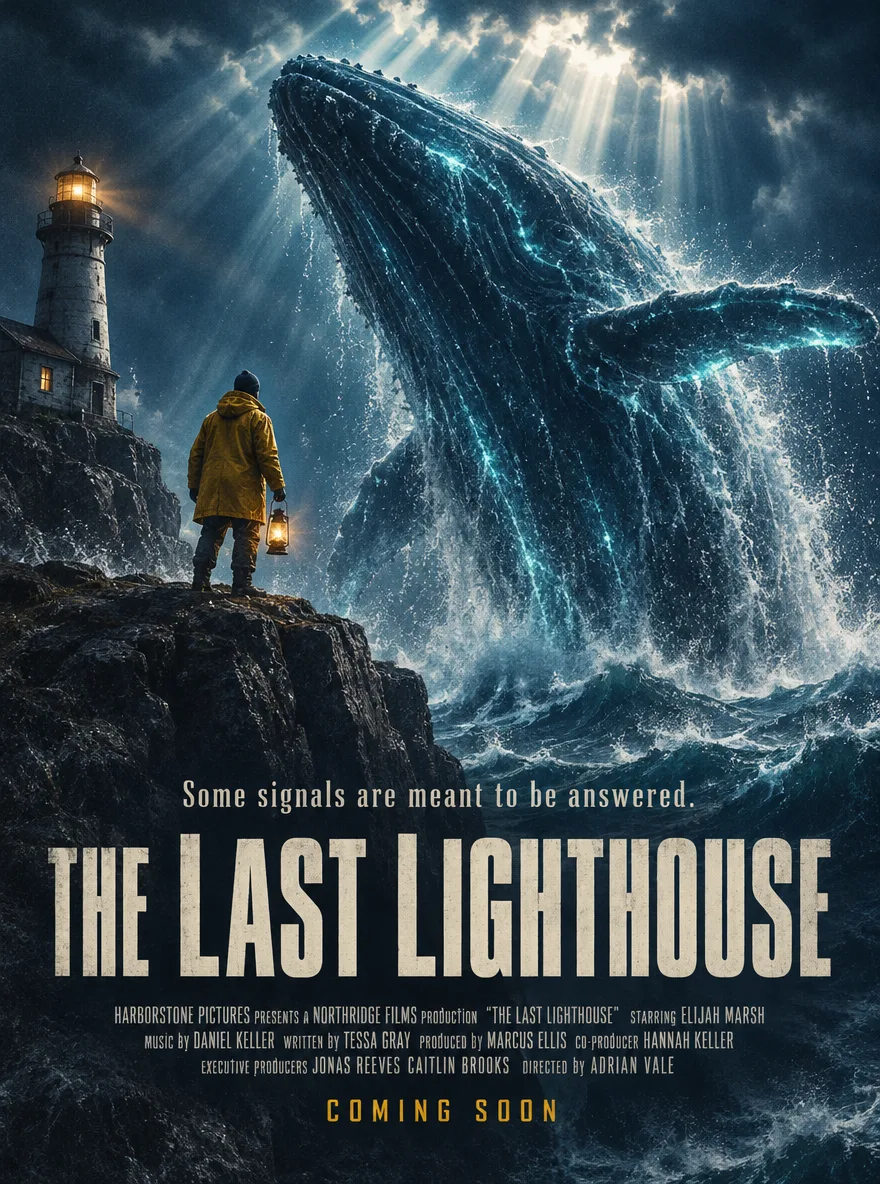
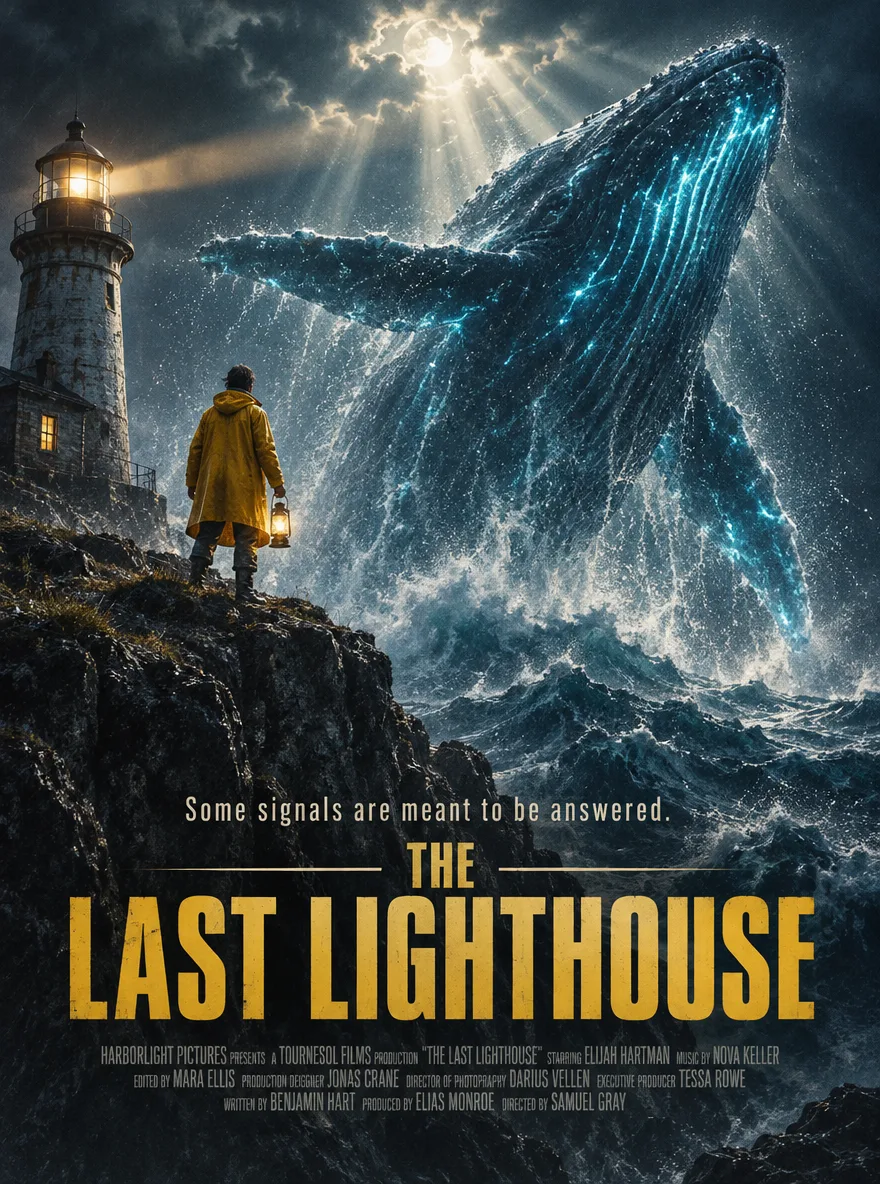
Flare · 3:4
4 images in one batch
Theatrical movie poster for a fictional film titled "THE LAST LIGHTHOUSE". A lone lighthouse keeper in a yellow raincoat stands on a cliff edge, watching a colossal bioluminescent whale rise out of a stormy midnight sea, volumetric god rays cutting through the clouds, spray frozen in the air, film grain. Bold condensed title typography at the bottom, tagline above the title: "Some signals are meant to be answered.", a small credits block underneath.
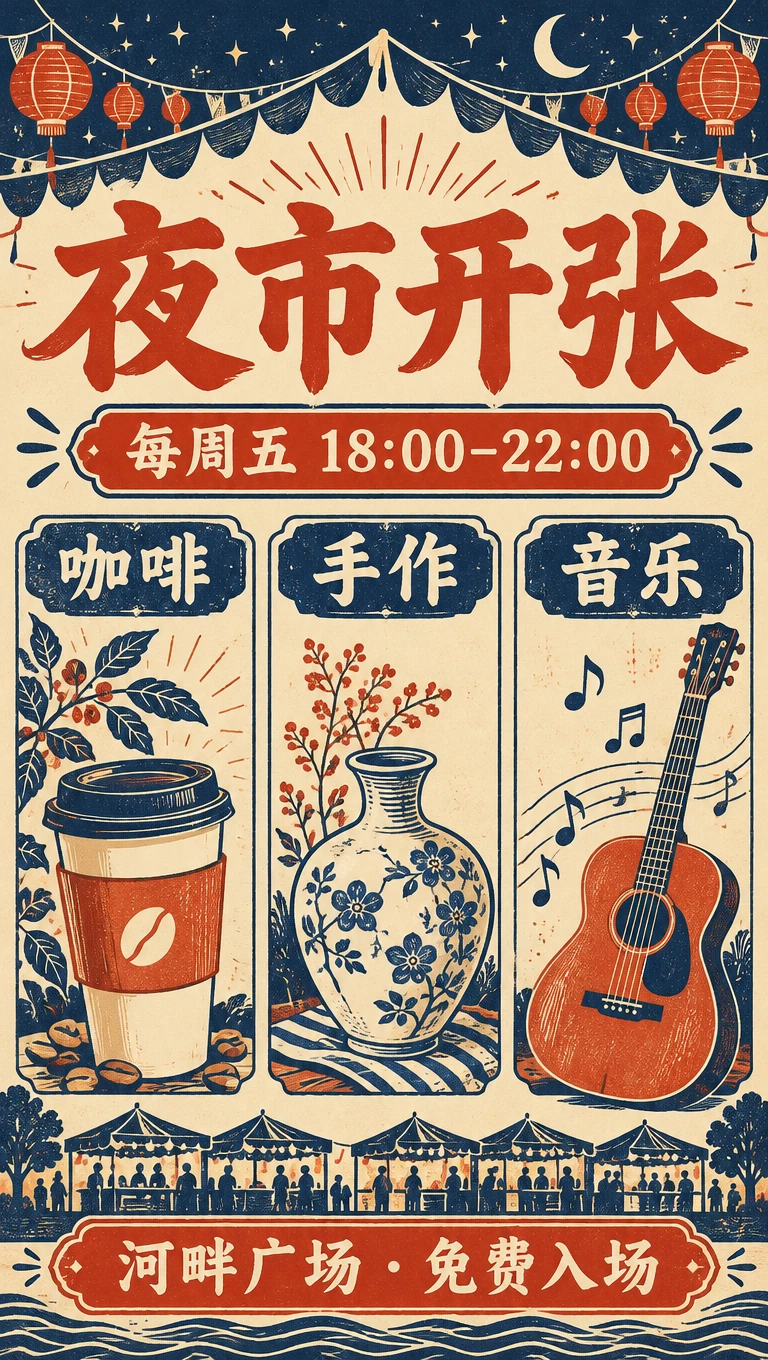
Flare · Text to image
Design a polished Chinese typography poster for a neighborhood night market. Exact headline: 夜市开张. Exact subheading: 每周五 18:00–22:00. Three clearly separated illustrated zones labeled 咖啡, 手作, 音乐. Footer exactly: 河畔广场 · 免费入场. Warm ivory paper, vermilion typography, deep navy details, screenprint-style illustrations. A tall takeaway coffee cup at lower left, a ceramic vase center, an acoustic guitar right. Use a clear hierarchy, generous margins, all requested Chinese characters legible, no extra words, no watermarks. Fill the complete portrait canvas with the designed poster.
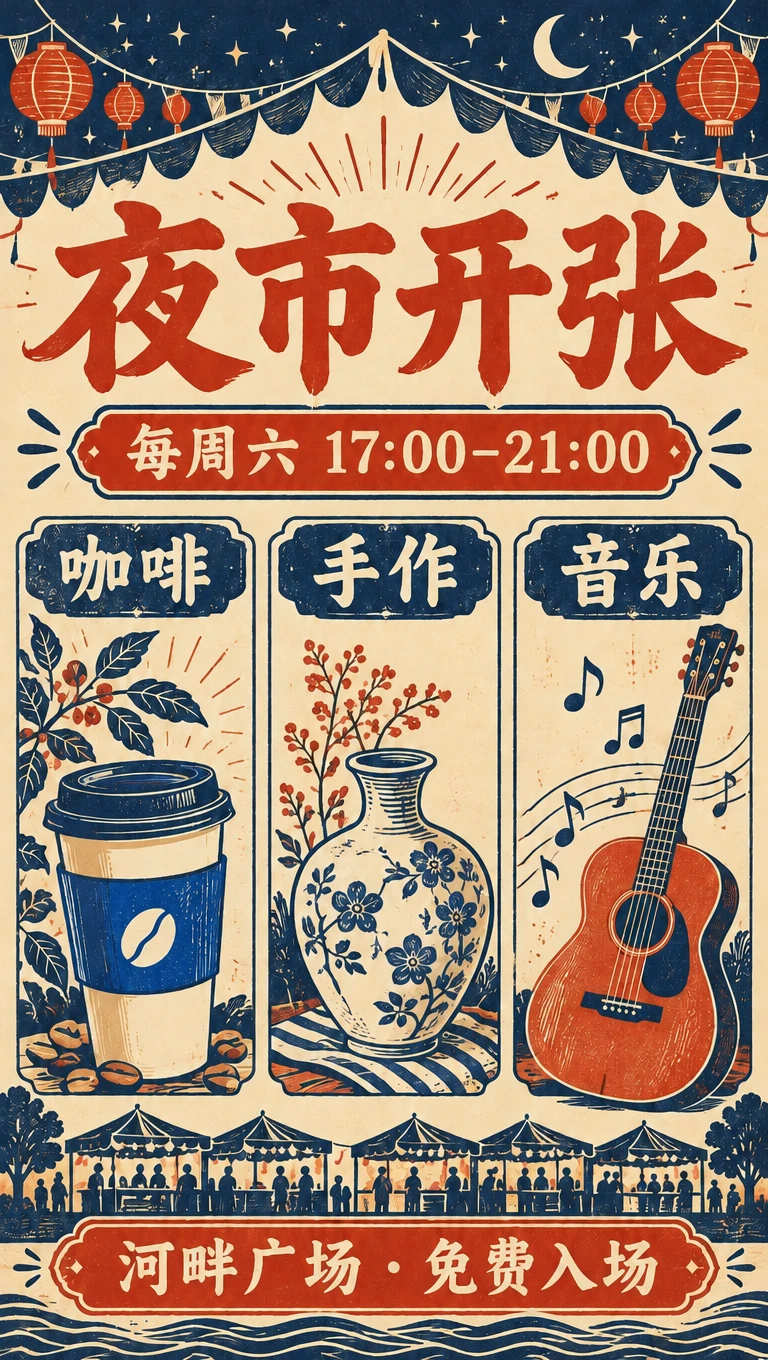
Flare · 1 reference image edit
Edit this poster precisely. Replace only the subheading 每周五 18:00–22:00 with 每周六 17:00–21:00. Change only the takeaway coffee cup from vermilion to cobalt blue. Preserve 夜市开张, 咖啡, 手作, 音乐 and 河畔广场 · 免费入场 exactly. Preserve all other illustrations, their positions, the paper background, type hierarchy and layout.
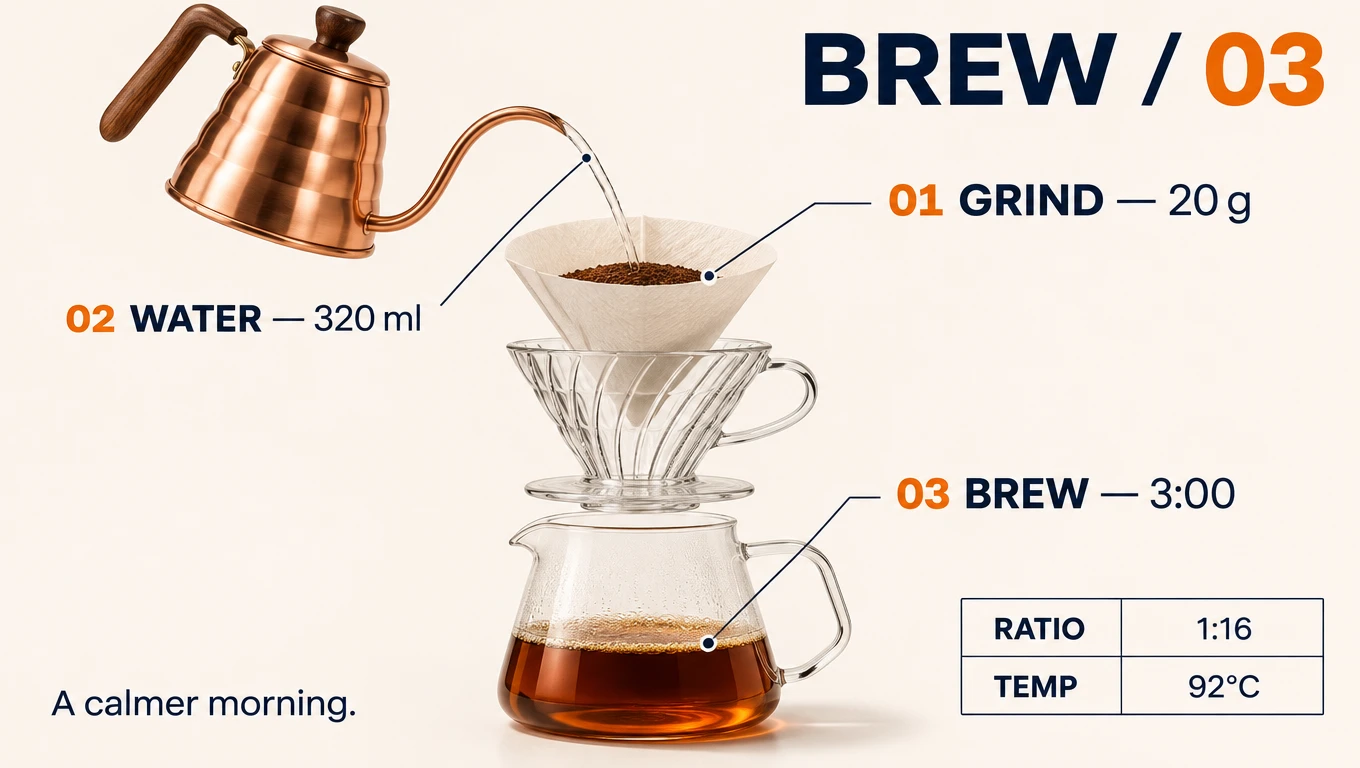
Sunburst · Text to image
Create a precise editorial product infographic on warm white with navy and orange accents. Main title exactly: BREW / 03. Show one realistic exploded-view manual pour-over coffee brewer in the center: copper gooseneck kettle upper left, cone paper filter directly above a transparent glass dripper, directly above a clear glass carafe with amber coffee. These parts share a coherent physical perspective. Three numbered callouts with thin leader lines: 01 GRIND — 20 g; 02 WATER — 320 ml; 03 BREW — 3:00. Bottom right a small neat table with exactly two rows: RATIO | 1:16 and TEMP | 92°C. Small caption exactly: A calmer morning. All text sharp and spelled exactly; tasteful technical precision, physically credible materials, generous whitespace, no invented extra labels.
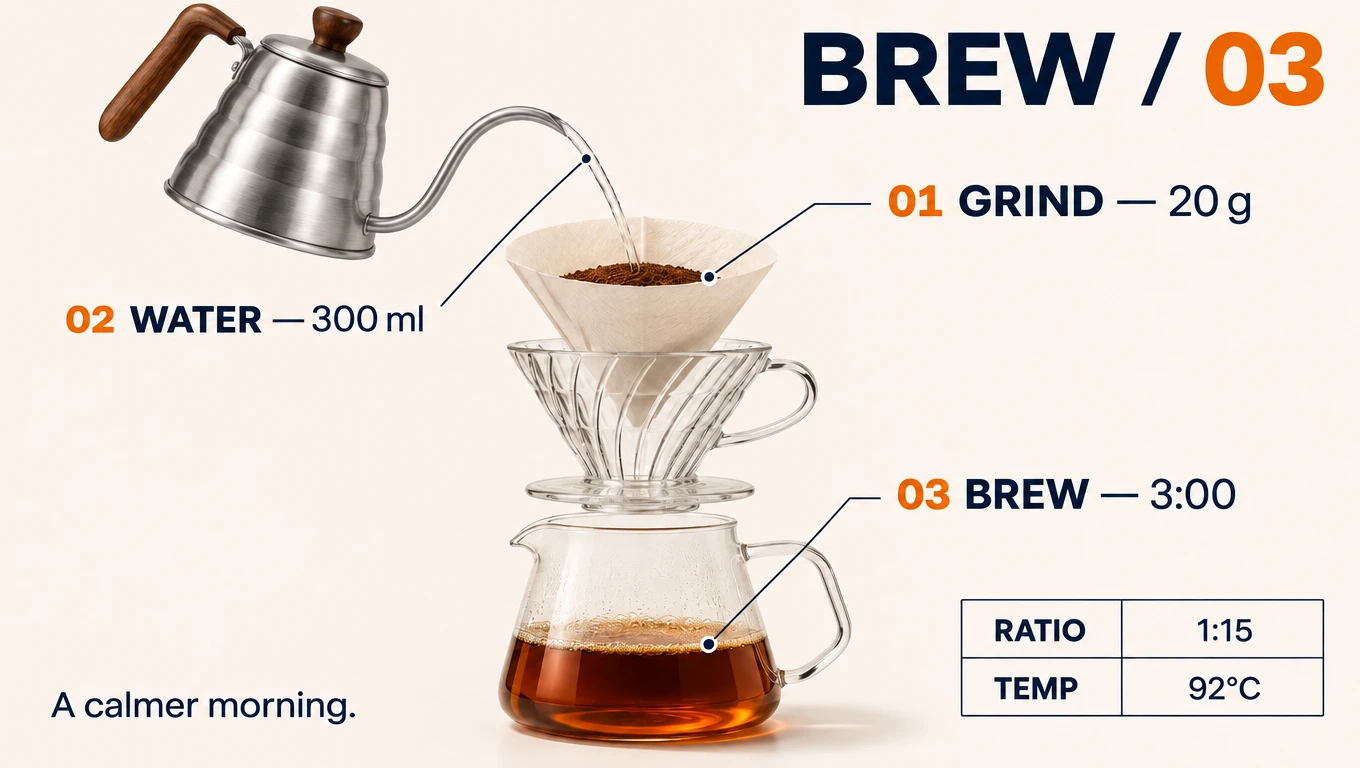
Sunburst · 1 reference image edit
Make a localized product edit. Change the copper gooseneck kettle to brushed stainless steel while preserving its exact silhouette, position and handle. Replace only 320 ml with 300 ml and only 1:16 with 1:15. Keep BREW / 03, all callout numbers, 20 g, 3:00, 92°C, A calmer morning, the glass dripper/carafe, coffee, perspective and all layout unchanged.
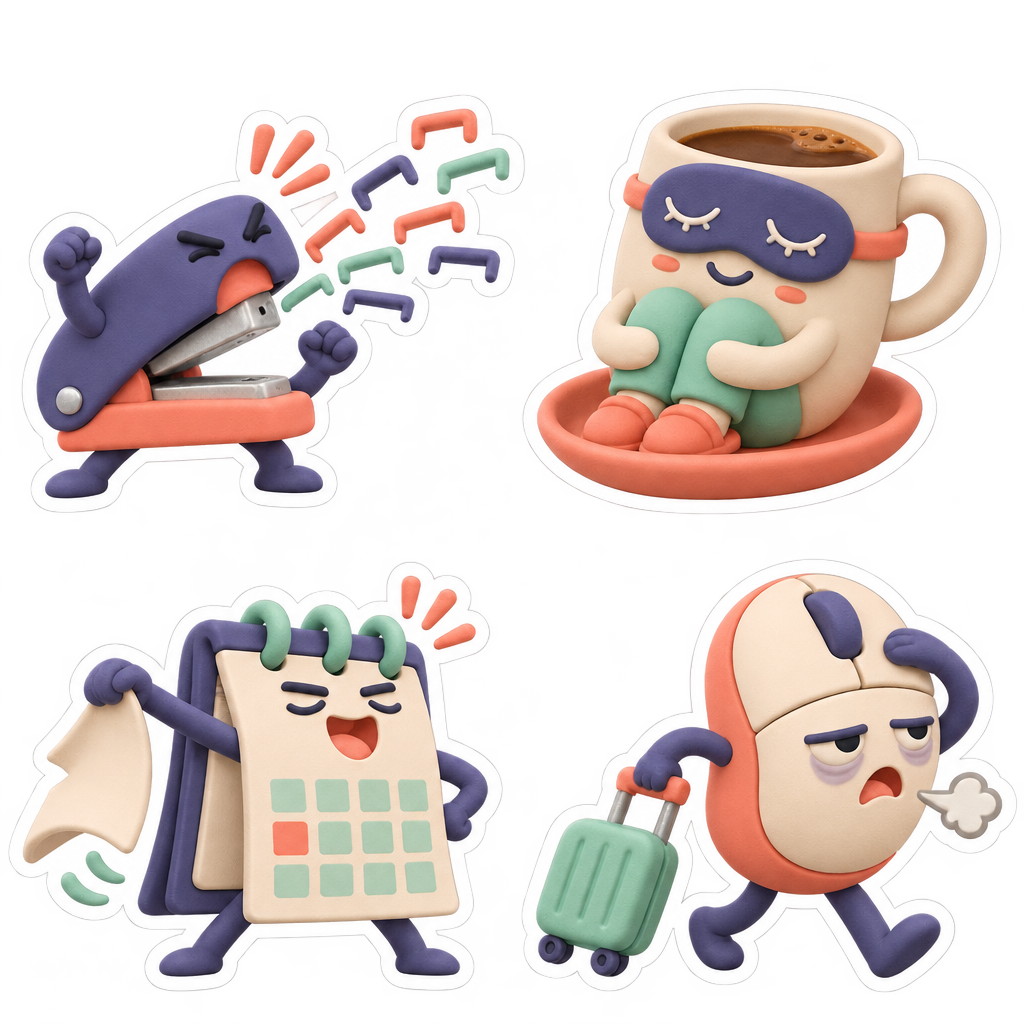
Sunburst · Text to image
Capability example · coming soon on AwakePix
Create an original premium die-cut sticker sheet titled by concept only: THE OFFICE OBJECTS HAVE HAD ENOUGH. No printed title or text anywhere. Four expressive anthropomorphic office objects in a balanced 2 by 2 arrangement with large transparent gutters: upper left a tiny stapler dramatically spitting out a rainbow of staples in defiance; upper right a coffee mug wearing a tiny sleeping mask, curled up on its own saucer; lower left a floppy desk calendar tearing off its Monday page like a superhero throwing away a cape; lower right a tired computer mouse rolling away with a miniature suitcase. Funny specific poses, charming clay-like matte 3D illustrations, consistent indigo/coral/mint palette, thick clean white die-cut outlines. Each character complete and isolated, no overlaps or crop. Fully transparent alpha background, no background plane, no checkerboard, no cast shadows outside the white outlines. Crisp readable silhouettes at small sticker size.
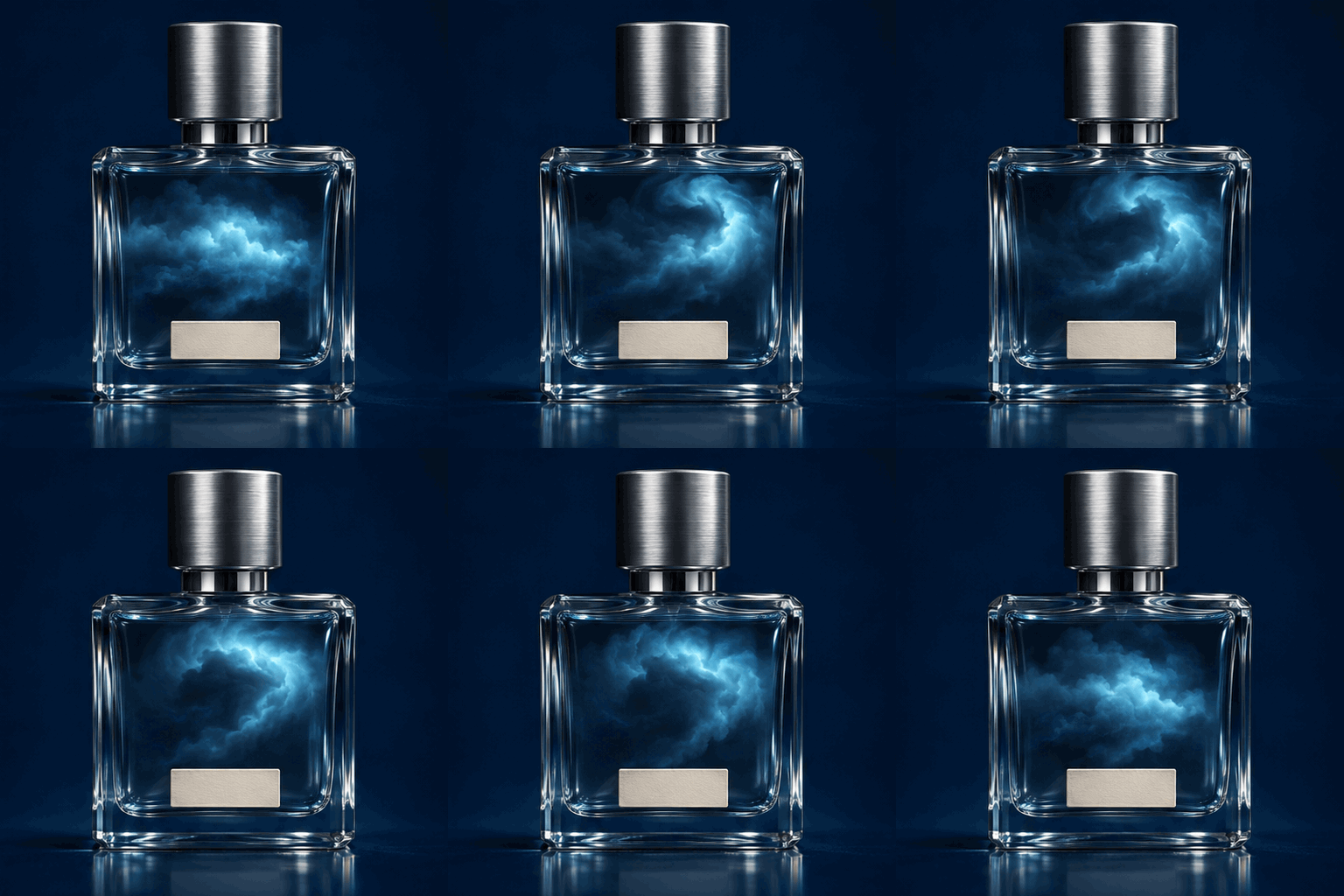
Sunburst · Text to image
Capability example · coming soon on AwakePix
An exquisite surreal luxury product cinemagraph: a small clear glass perfume bottle with a brushed silver cap, containing a tiny midnight thundercloud instead of liquid. Deep ink-blue seamless studio backdrop, luminous cyan cloud inside, a small unmarked ivory label, sharp glass reflections, editorial macro product photography. Locked-off camera, bottle and cap perfectly stationary with identical silhouette in every frame. One continuous seamless loop: start with cloud at rest, slowly curl the cloud clockwise within the bottle, one delicate branching lightning flicker entirely inside the glass midway, then cloud returns to exactly its original shape, brightness and position. No smoke outside bottle, no camera motion, no cuts, no rotating bottle, no text. Nine evenly spaced phases of one smooth cycle, seamless wrap from last frame to starting pose.
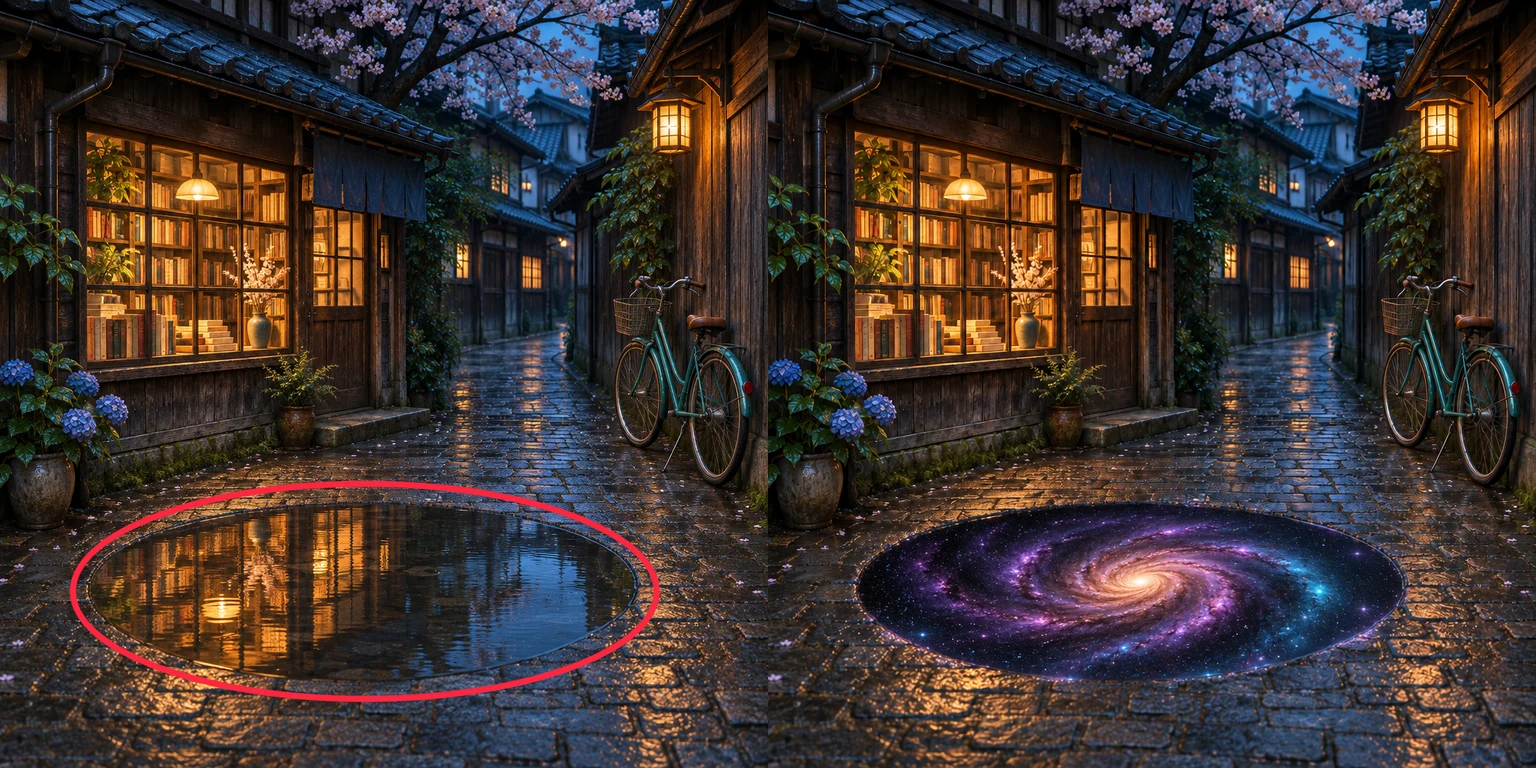
Sunburst · 1 reference image edit
Capability example · coming soon on AwakePix
One source image plus a separate markup overlay; the comparison shows the marked original on the left and the result on the right.
Edit only the puddle indicated by the separate red circle markup. Replace the water reflection INSIDE THE EXISTING PUDDLE BOUNDARY with a stunning deep luminous spiral galaxy, as if the puddle is a portal through the pavement into space. Keep the original puddle shape, perspective and edges, integrate the violet/cyan stars subtly with the wet rim. Preserve the bookstore, every book and window, bicycle, lantern, brickwork, framing, light and ALL pixels outside the puddle as faithfully as possible. The red circle is an editing instruction only: no red marks in the final image. Do not change the pavement outside the puddle or enlarge the puddle. Photographic surrealism, not a painted scene.
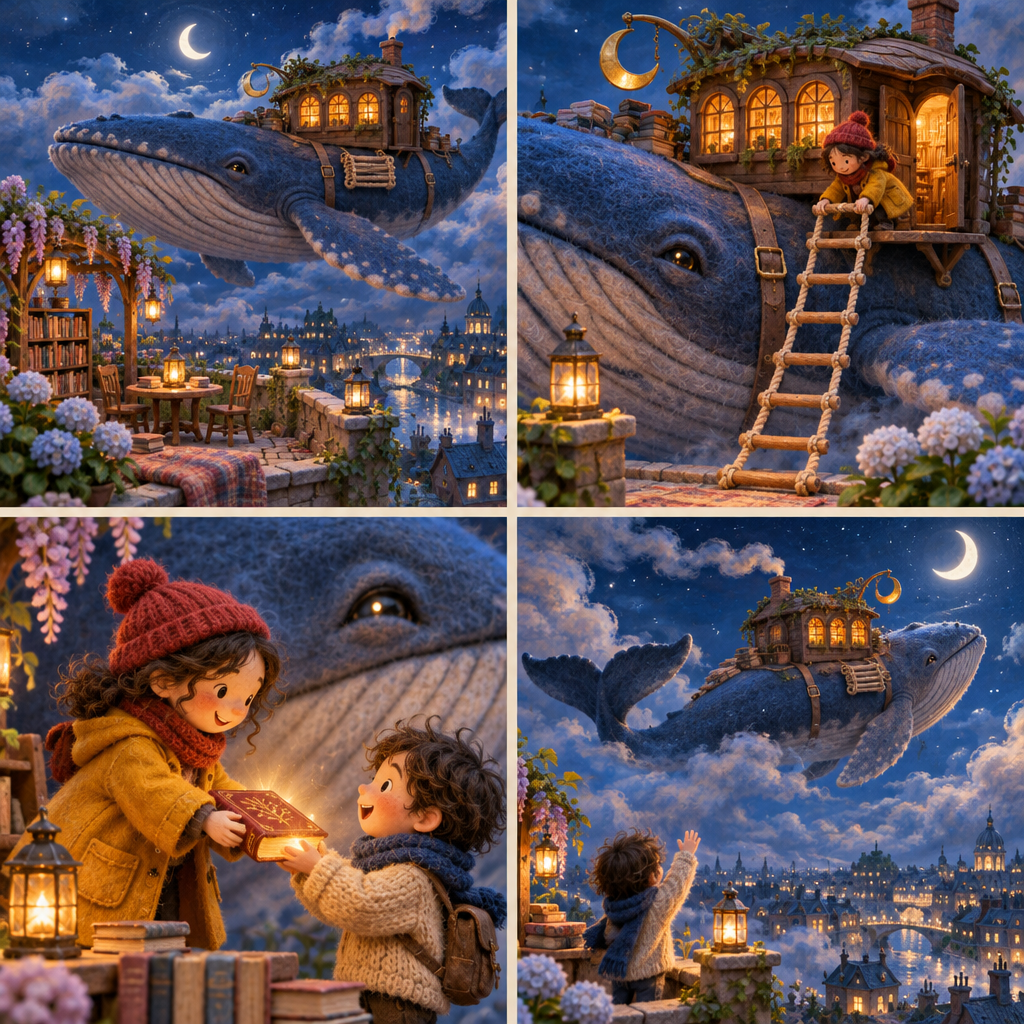
Sunburst · Text to image
Create a spectacular original cinematic storyboard, exactly four panels in a 2 by 2 grid separated by narrow warm ivory gutters. A gigantic gentle blue whale is a traveling bookshop sailing through clouds above a moonlit city; a little walnut-wood library cabin with three amber windows, a brass crescent sign, and a folded rope ladder is strapped to its back. A tiny librarian with a mustard raincoat and red knit cap appears in every panel. Maintain the EXACT same whale anatomy, cabin architecture, three windows, librarian outfit and indigo/amber color palette across all four sequential shots. Panel 1 upper left: wide establishing shot, whale docks alongside a rooftop reading garden at blue hour, ladder still folded. Panel 2 upper right: medium shot, librarian unfolds the rope ladder down to the roof, warm cabin door opens. Panel 3 lower left: intimate close view, librarian hands a glowing book to a small child standing safely on the rooftop beside the whale, delighted whale eye visible behind them. Panel 4 lower right: wide rear three-quarter farewell, ladder folded again, whale sails away into a crescent moon over the city, three warm cabin windows glowing. Exquisite tactile miniature stop-motion film aesthetics, handcrafted wood and wool, cinematic depth and beautiful atmospheric cloud lighting. Distinct camera framing and action in every panel, coherent visual storytelling. No lettering, numbers, captions, speech bubbles, logos or watermark. The cabin is built ON the whale back, never replaces the whale body. Safe whimsical magical realism, original characters.
GPT Image 2.6 is OpenAI’s image model family for creating visuals from text and editing existing images. OpenAI describes Flare as a choice for fast iteration and Sunburst as a choice for detailed work and precise edits. For poster lettering, product structure or material changes, describe the goal explicitly and inspect the resulting details.
The official model also supports complexity control, markup-guided editing, SVG and GIF output. Model support does not mean every website offers every option. AwakePix currently uses opaque 1K PNG output with text or one reference image. Special-format examples above show capabilities. This is an independent tool site, not an official OpenAI page.
Source: OpenAI image generation documentation ↗GPT Image 2.6 extends the generation and editing workflow with complexity control, markup guidance and GIF / SVG output; those extra options are not yet enabled here. Start with a free 2.5 preview to explore a composition or a short prompt. Choose 2.6 to try the typography and targeted edits shown on this page. A version number does not replace checking results on your own prompts.
Open the free GPT Image 2.5 tool ↗Sign in and verify your email for one free GPT Image 2.6 image per UTC day; availability may vary at peak times. Confirmed failures do not use your account allowance. Continue for 10 credits per image after use. Guests can try GPT Image 2.5 free.
Yes. The daily free trial requires sign-in and a verified email; paid generations use account credits. Examples and prompts can be browsed without signing in.
Flare and Sunburst each cost 10 credits per image, for text-to-image or one-reference editing. Check the selected model and total before submitting.
Free generation makes one image. Paid generation offers 1, 2 or 4 images for 10, 20 or 40 credits. Each image generates and downloads independently; confirmed failed images are refunded individually.
SVG is not supported on AwakePix yet: our provider channel has not enabled it. The current GPT Image 2.6 generator exports PNG, not vectors.
These options are coming soon and are not enabled in this generator. The GIF and transparent sticker examples demonstrate capabilities, not currently available site features.
Yes, upload one reference image and describe the edit. Multiple references and markup-guided editing are not enabled here. Specify what to change and what to preserve.
OpenAI positions Flare for speed and Sunburst for demanding detail and precise edits. This page starts with Flare; you can switch to Sunburst. Results vary by prompt.
Our night-market sample has readable Chinese headings, labels and times. A few samples cannot guarantee accuracy. Review every character, especially small text, numbers and dates.
Works generated with paid credits may be used commercially. Works generated with a free allowance are for personal, non-commercial use only. All use must comply with the Acceptable Use Policy and applicable third-party model terms, and respect copyright, trademarks, privacy and likeness rights.
Paid GPT Image 2.6 results appear in your account history. This workflow currently sets no fixed automatic expiry; that is not a promise of permanent storage. Download a backup. Free results and uploaded originals follow separate retention rules.
Compare the task you actually need: typography, product materials, local edits or style exploration. Use the same prompt and reference before choosing. We have not established one model as best for every task; see the comparison guide below.
Deducted credits are automatically returned after a task is confirmed failed. Processing or an unconfirmed status is not a failure. Check your history before resubmitting; contact support if the task remains unresolved.
Four PNG generation and single-reference edit tests on November 5, 2026 took about 10–35 seconds. These are measured task times, not full site-flow timings or a guarantee for every run.
The current GPT Image 2.6 workflow produces one opaque PNG at the 1K tier. Exact pixel dimensions depend on the selected aspect ratio.
You can copy the original prompts; edits also require the original image. Outputs vary, so identical prompts do not guarantee identical pixels. Features labeled coming soon cannot yet be reproduced on this site.
No. AwakePix is an independent tool site. GPT Image is an OpenAI model family. Official model capabilities differ from the features enabled here; follow this page and the generator options.